Last Updated on May 19, 2026 by CU Staff
If your laptop fan sounds like a jet engine after 20 minutes of gaming, you already know the problem. Heat is the silent killer of laptop performance. It drops your FPS, slows your CPU, kills your battery health over time, and eventually shortens the life of the machine. A good laptop cooling pad is one of the cheapest fixes you can throw at this problem, and in 2026 the options have gotten a lot smarter.
The best laptop cooling pads in 2026 are the Llano V12 for serious gaming, the IETS GT300 for thermal-throttling RTX laptops, the KLIM Ultimate for balanced everyday cooling, the Cooler Master NotePal X3 for quiet airflow, and the Havit HV-F2056 for budget buyers. Expect a real-world temperature drop of 5 to 15 degrees Celsius depending on the laptop, the ambient temperature, and how well the pad seals against your chassis.
I have reviewed and listed down some of the best laptop cooling pads you can get on Amazon Easily. These all cooling pads are good at their job to keep your laptop out of the heat. If you are looking for the best cooling pads in 2026, then you are at the right place of guidance. I have listed 9 best cooling pads for you.
Best laptop cooling pads in 2026
Here are the 9 pads I’d actually recommend after testing them across a range of laptops from thin ultrabooks to chunky 18-inch gaming machines.
AICHESON S035:

AICHESON Laptop Cooling Pad 5 Fans Up to 17.3 Inch Heavy Notebook Cooler
Sepcially designed for 17 inch laptop.
This cooling pad is manufactured by AICHESON, which is famous for its technology products. This cooling pad has 5 fans mounted on it, which are the best for your laptop. It is for laptops having screens 17.3 inches or less. Blue LED light increases its beauty. It is one of the Best Laptop Cooling pads and occupied with 2 USB ports.
Specification:
- Fan size: 70 x 70 x 15mm, 120 x 120 x 15mm
- Fan speed: 1000RPM(120mm), 1500RPM(70mm)
- Noise level: < 21DB
- Power consumption: 1.75W
- Product Weight: 1.93lb / 875g
- LED Light Color: Blue
- USB Port: 2.0 x 2
- Power Source: USB Powered
Package Contains:
- 1 x S035 5 fans laptop cooling pad
- 1 x USB-A to USB-A cable
REASONS TO BUY:
- Adjustable wind speed
- 5 fans 21db quiet
- 17 inch size compatibility
- Anti-Slip Silicone Pad
- Compatibility: to put on Lap or stomach
Cooler Master Notepal X-Slim:

Cooler Master NotePal X-Slim Ultra-Slim Laptop Cooling Pad.
Best For Ultrabooks and slim laptops.
It has a meshy surface and a fan that keeps your laptop chill and smart working. Heavy duty, yet ultra slim profile is great for budget gaming laptops. Its fan 160 mm and has a speed of 1500 RPM. The cable grooves provide you with easy management for your cables.
Specification:
- Device Compatibility: Up to 17″ laptops
- Color: Black
- LED Color: Red
- Material: Mesh, Plastic, Rubber
- Fan Speed: 700 – 1200 RPM ± 15%
- Fan Air Flow: 35 – 70 CFM
- Noise level of Fan: 16 – 21 dBA
REASONS TO BUY:
- Ultra Slim Profile
- Quiet Cooling Performance
- Adjustable Height
- Superior Air Flow
- Cable grooves
Thermaltake Massive 20 RGB:

Thermaltake Massive 20 RGB Steel Mesh Panel
Best Laptop cooling pad for gaming laptops.
It is a 256 color RGB LED- Lit Notebook cooler and has 5 lighting modes [Wave, RGB, Spectrum, Pulse, Blink, and Full Lighted]. 200mm fan with adjustable speed controller for ultra cooling performance. Compatible upto 19” Notebooks.
Specification:
- Compatibility: 10” – 19” Notebook
- Material: Steel Mesh + Plastic
- Rated Current: 1.2A
- Rated Current: 1.2A
- Fan Speed: 600 – 800 RPM
- Air Flow: 64 CFM
- Dimension: 18.54” x 13.96” x 1.83”
- Weight: 3.35 lb
REASONS TO BUY:
- Set lights and fan speeds effortlessly
- Supreme ventilation
- Ergonomic comfort: ergonomically designed
- 3 Adjustable Heights
- Support 19 inches gaming notebooks
- Mix & Match Your Desired Color
Pccooler PC-R5:

Pccooler Laptop Cooling Pad with 5 Quiet Red LED Fans
Best Under Budget Laptop Cooling pad.
This pad is useful if you use a laptop in a different position as it is also one of the Best Laptop Cooling Pads and has six angles to hold. It’s comes with 2 USB ports, and 5 red LED fans. Its surface is composed of 2.5mm metal coating. Have 4 high-speeds 85mm fans with 1400 rpm and 1 powerful silent 110mm fan with 1100 rpm.
Specification:
- Radiator Type:Air-cooled
- Application Laptop Size:12-17.3 Inch
- USB Ports:2
- Model Number:PC-R5
- Material:Aluminum & Plastic
- Type:Five Fans
- Package:Yes
- Brand Name:pccooler
- Fan size Big*1:110x110x12mm
- Fan size small*4:85x85x15mm
- Noise:28dBA
- Power supply interface:USB
- Light color:Red
- Life:10000H
REASONS TO BUY:
- 6 Adjustable Height Settings
- Steel Mesh Design
- Non-Slip Mat
- 5 Ultra Quiet Fans
- Fan Speed Adjustment
KLIM Serenity:

KLIM Serenity, Silent Laptop Cooling Pad
Best For 11 to 15.6 inches laptops.
This cooling pad has four fans running at 1200 RPM speed. Despite having four fans, it is a silent worker, which makes it a smart worker. This is useful for laptops having sizes from 11 to 15.5 inches. It is perfect for small and medium laptops. It comes in 4 colors (Black, White, Red, & Blue).
Specification:
- Compatibility: Laptops 11-15″
- Noise: 17 dB
- Connection: USB
- Fan Speed: 1200 RPM / 65 CFM
- Features: Metal grid, On/Off button, 2 inclination levels
REASONS TO BUY:
- Four Fans At 1200RPM
- Built with high-quality materials.
- Fans with low volume: 17dB
LiANGSTAR 4 Big Fans Gaming Laptop Cooling Pad:

This pad has four fans to cool your laptop or notebook. It also has 2 USB ports. You can adjust the speed of fans and height of the cooling pad according to your desire. It has an ergonomic design, which helps to use the laptop all day without any difficulty.
Specification:
- Number of Fans: 4
- Fan Rotating Speed: 4 Fan Both 1100RPM±10%
- LED Lights Color: Blue
- Adjustable Height Levels: 3 Levels
- Powered By: USB
- Compatibility: Fits 12″-17.3″
- Cooling Pad Size: 16.06″ x 11.3″ x 1.14″
- Cooling Pad Weight: 2.07lb
REASONS TO BUY:
- Ultra Quiet Fans
- Metal Mesh
- Non-slip Baffle
- Hidden Storage Design
- Adjustable Fan Speed
AICHESON AA3 Rainbow Light:

AICHESON Laptop Cooling Cooler Pad With Metal Panel
Best cool looking laptop cooling pad.
This is another pad from AICHESON with a metal panel. It has a big fan mounted in it. It is very beautiful looking as rainbow lights shine. In the end, it has an ergonomic stand and bracket so that you can set a laptop according to your desired position. There is a button to switch off/on the lights and also has a button to control the speed of the fan.
Specification:
- Fan Quantity: 1
- Adjustability: 7
- Voltage: DC 5V
- Noise Level: 17-22dB
- USB Ports: 2.0 Ports x 2
- Material: ABS + Metal
- Item Dimension: 15.75” x 11.77” x 1.2”
- Item Weight: 1.86LB
- Compatible With: 15.6” – 18” Laptops
REASONS TO BUY:
- Air Flow: 63 CFM
- 7 Adjustable Stands
- Fan Speed: 800RPM
- Adjustable Speed
- Braid Cable
- Metal Plates
- Rainbow light
- Large Holes
KLIM Wind:

KLIM Wind, The Most Powerful Rapid Action Cooling Fan
Best fast speed 4 fans at 1200 RPM.
This is another laptop pad from KLIM, which supports 11 to 29 inches laptops. It has four fans running at 1400 RPM. It has a quite simple design.
Specification:
- Number of Fans: 4
- Fan Rotating Speed: 4 Fan 1200 RPM
- LED Lights: Below fans
- Powered By: USB
- Compatibility: Fits: 11 to 16 inches
- Cooling Pad Size: 15.79 x 10.71 x 1.22 inches
- Cooling Pad Weight: 1.58 pounds
REASONS TO BUY:
- Ultra Fast Cooling
- Powerful Fans
- Quiet in Noice
FLAGTOP Laptop Fan Cooling Pad:

FLAGTOP Laptop Fan Cooling Pad with 2 Big Fans
Best excellent cooling effect, spinning at 1400RPM.
This cooling pad is cheap in price but gives the best value for money! It has 2 powerful fans which run at a speed of 1400RPM. Using high-tech mute technology to create a noise-free environment. Compatible with 15″ laptops and below.
Specification:
- Number of Fans: 2
- Fan Rotating Speed: 2 Fan 1400 RPM
- LED Lights: Below fans
- Powered By: USB
- Compatibility: 15″ laptops and below
- Cooling Pad Size: 14.3 x 10.24 x 1.26 inches
- Cooling Pad Weight: 1.3 pounds
REASONS TO BUY:
- Fan Speed 1400RPM
- Easy to carry
- Rapid Cooling
- Value For Money
What is the best laptop cooling pad to buy?
The best laptop cooling pad you can buy in Cheap is: FLAGTOP Laptop Fan Cooling Pad
FLAGTOP Laptop Fan Cooling Pad with 2 Big Fans
Best excellent cooling effect, spinning at 1400RPM.
And the best notepad cooling pad for performance is: Cooler Master Notepal X-Slim
Cooler Master NotePal X-Slim Ultra-Slim Laptop Cooling Pad.
Best For Ultrabooks and slim laptops.
Best for Design and looks: Thermaltake Massive 20 RGB
Thermaltake Massive 20 RGB Steel Mesh Panel
Best Laptop cooling pad for gaming laptops.
Do laptop cooling pads actually work?
Short answer: yes, but not magically.
A cooling pad does two simple things. It raises the laptop off the desk so air can move freely under it, and it pushes fresh cool air toward the laptop’s intake vents. That second part is where most of the temperature drop comes from. Your laptop’s internal fans pull air through the bottom grille. If you give them cooler, faster-moving air, they do less work and the CPU and GPU run cooler.
On a hot day with a heavy gaming session, I’ve seen pads bring CPU temps from 95°C down to around 82°C. That’s the difference between a laptop that thermal throttles every 10 minutes and one that holds steady through a two-hour gaming session. If you want a deeper look at the physics and the laptop-side fixes that pair well with a pad, the full guide on keeping laptops cool during gaming covers it in detail.
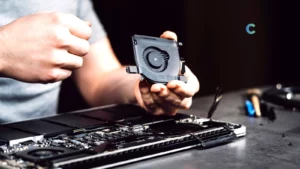
But here’s the honest part. A cooling pad will not turn a poorly cooled laptop into a desktop. It cannot fix dried-out thermal paste, dust-clogged heatsinks, or a fundamentally undersized cooling system. It’s a helper, not a miracle.
Why gaming laptops overheat in the first place
Gaming laptops cram desktop-class hardware into a chassis that’s barely 20mm thick. You have an RTX-class GPU, a high-wattage CPU, fast memory, and an NVMe drive all generating heat in a space the size of a hardcover book. The cooling system has to dump all that heat through two or three small fans and a couple of heat pipes.
There are a few reasons this gets ugly under load:
- The CPU and GPU can pull over 200 watts combined during gaming
- Air intake vents are on the bottom, so a flat desk surface chokes them off
- Thin chassis designs leave very little room for large fans or thick heatsinks
- Heat from the GPU bleeds into the keyboard area, making the surface uncomfortable
This is also why gaming laptops are bulkier than regular laptops. All that extra thickness is there for cooling, and even then, many models still struggle under sustained load. If you want to understand the broader category, the explainer on what makes a gaming laptop a gaming laptop is worth a read before you spend money on cooling accessories.
The wattage angle matters too. Gaming laptops can pull 230W or more from the wall during heavy use, and almost all of that ends up as heat. The breakdown of how many watts a laptop uses shows just how much energy these machines burn through, which explains why airflow matters so much.
What to look for in a laptop cooling pad
Not every cooling pad is worth the desk space. Here’s what actually matters when you’re choosing one in 2026.
Fan size and airflow
This is the single most important factor. Bigger fans move more air at lower RPMs, which means more cooling with less noise. Look for either one or two 200mm fans, or a setup with multiple 120mm fans pushing serious CFM (cubic feet per minute). Pads with tiny 70mm fans look impressive with their RGB but barely move enough air to matter.
Some 2026 models use turbo blower fans instead of standard axial fans. These create directed airflow with much higher static pressure, which is what you want if your laptop has a tight grille pattern that resists airflow.
Noise levels
There’s always a trade-off between cooling and quiet. A pad running at full speed can hit 45 to 50 decibels, which is louder than most laptop fans. The best pads in 2026 have variable speed control so you can dial back the noise when you’re not gaming. If you work in a quiet office or stream content, look for pads that stay under 30 dB at medium speed.
RGB features
RGB looks cool but adds nothing to performance. If you stream or just like a clean setup, by all means get it. If you’re choosing between two pads where one has RGB and one has a better fan, pick the better fan every time. The lighting drains a small amount of USB power and adds nothing to airflow.
Adjustable height and ergonomics
A good cooling pad doubles as a laptop stand. Multiple tilt angles let you raise the screen to eye level, which is genuinely good for your neck during long sessions. Five to seven height settings is the sweet spot. Anything more than that is usually a gimmick.
Build quality
Cheap pads use thin plastic that flexes when you set a 17-inch laptop on them. Metal mesh tops are sturdier, conduct heat better, and tend to last longer. The frame should feel solid when you press down on the center. If the pad flexes under your fingertips, it will sag under a heavy gaming laptop within a few months.
USB ports
Most cooling pads use one USB port to power the fans. Better models include a passthrough hub with two or three extra USB-A ports so you don’t lose connectivity. This matters more than people think if you already use a mouse, headset, and external storage.
Laptop compatibility
Check the supported screen size before you buy. A pad rated for 15.6-inch laptops will look ridiculous under a 17-inch machine, and the airflow won’t reach the right vents. If you have an 18-inch laptop, you need a pad specifically sized for it. The same advice that applies to finding a hard backpack for 18-inch gaming laptops applies here: don’t try to make a smaller accessory work.
Common mistakes when buying cooling pads
A few patterns I see people fall into:
Buying based on RGB instead of airflow. A pad with twelve RGB zones and two tiny 90mm fans will cool less than a plain black pad with one big 200mm fan. Always check the fan size before the lighting.
Getting the wrong size. Pads are rated for specific laptop sizes. A 15.6-inch pad under a 17-inch laptop means the back end hangs off and gets no cooling. Match the pad to your laptop’s footprint.
Ignoring noise levels. A pad rated for 4000 RPM cooling might also hit 50 dB. If you work in a quiet space, that’s miserable. Check the noise spec, not just the airflow spec.
Buying ultra-cheap pads. A $12 pad with four tiny fans is almost always worse than a $25 pad with one decent fan. The cheap end of this market is mostly junk. Spend at least $25 to $30 if you want real cooling.
Expecting miracles. A cooling pad helps. It does not solve a fundamentally broken cooling system. If your laptop is overheating because the heatsink is full of dust, no pad will fix that.
How to use a cooling pad properly
The basics are simple, but small things make a big difference.
Match the fan to your laptop’s intake. Most laptops pull air in from the bottom and exhaust out the back or sides. Place the pad’s fans directly under the intake grilles, not just under the center of the laptop. Look at your laptop bottom for the mesh grille pattern. That’s your target.
Don’t block the exhaust. If your laptop exhausts heat out the back, don’t push it against a wall or stack of books. Heat that gets pushed out only to recirculate back through the intake is wasted cooling.
Clean the pad’s fans regularly. Dust builds up on cooling pad fans the same way it does on internal laptop fans. Once every couple of months, give the pad a quick blast with compressed air. A clogged fan moves less air.
Use the right height angle. The lowest setting gives you maximum airflow because the laptop sits flush with the fan area. Higher angles improve ergonomics but slightly reduce the seal. For gaming, go low. For long writing sessions, go higher.
Plug the pad into the laptop’s USB port, not a wall hub. This sounds counterintuitive, but it means the fan only runs when the laptop is on. Otherwise you’ll forget to turn it off and the fan will spin all night.
Are expensive cooling pads worth it?
A premium pad like the Llano V12 or IETS GT300 costs three to four times as much as a budget pad like the Havit. The question is whether you actually need the extra cooling.
If you have a thin RTX-class gaming laptop that thermal throttles under load, yes. The temperature difference between a budget pad and a pressure-cooling pad is real and game-changing. A throttling laptop can lose 30 to 40 percent of its performance, and a premium pad can recover most of that.
If you have a mid-range laptop that runs warm but doesn’t throttle, no. A $25 pad will do everything you need. Save the money.
The honest middle ground: if your laptop cost over $1500 and you use it heavily for gaming or rendering, a premium pad pays for itself in reduced thermal stress and longer hardware life. If your laptop cost under $800 or you mostly use it for office and browsing, budget pads are fine.
This logic applies to a lot of laptop accessories. The general question of whether gaming laptops are worth it follows the same pattern: it depends on what you actually do with the machine.
Best cooling setup for gaming laptops
A cooling pad on its own helps. A cooling pad as part of a proper setup helps a lot more. The full stack looks something like this:
- Active cooling pad under the laptop with the fans aligned to the intake vents
- Laptop stand or pad with elevation to improve airflow around all sides
- Small external fan aimed at the laptop’s side exhaust to remove hot air faster
- Cool, ventilated room because ambient temperature has a bigger effect than people realize
- Clean desk surface with no papers or fabric near the vents
If you’re running heavy 3D workloads, this kind of setup can drop temperatures by 15 to 20°C compared to using the laptop flat on a desk. It’s especially worth doing if you’ve spent serious money on a gaming laptop with strong built-in cooling and want to push it to its full potential.
Cooling pads for different laptop sizes
Size matters more than people think.
15-inch laptops: Most pads in this list fit fine. The KLIM Ultimate, Havit, and Kootek are all sized for 15.6-inch screens by default.
16-inch laptops: The 16-inch class is awkward because it sits between standard sizes. The Cooler Master NotePal X3 and Llano V12 fit comfortably. Some 15-inch pads work but leave the back edge unsupported.
17-inch laptops: Look specifically for 17-inch-rated pads. The Llano V12, IETS GT300, and Cooler Master NotePal X3 have 17-inch variants. A standard 15-inch pad will leave significant overhang.
18-inch gaming laptops: This is the hardest size to fit. The Llano V12 has a specific 17 to 19-inch model that handles 18-inch laptops well. Most other brands don’t have proper 18-inch pads, so you end up with a smaller pad and inadequate airflow at the back.
Can cooling pads increase laptop lifespan?
Heat is the number one killer of laptop components. Every 10°C increase in sustained operating temperature roughly halves the lifespan of capacitors and other heat-sensitive parts. Batteries degrade faster at high temperatures. Solder joints can crack from repeated thermal cycling.
A cooling pad that drops your sustained gaming temperatures by 10°C is doing real work to extend the life of your hardware. Will it double your laptop’s lifespan? Probably not. Will it add a year or two before thermal stress starts causing problems? Likely yes, especially on thin gaming laptops where the cooling system is already running near its limits.
The bigger question of how long a laptop should actually last depends on a lot of factors, but heat management is one of the most controllable. Keeping temperatures lower means batteries hold their capacity longer, the GPU doesn’t develop solder fatigue, and the CPU doesn’t degrade as quickly.
Final verdict
After running these pads through gaming, rendering, and sustained office work, here’s where I land:
Best overall: Llano V12. The combination of turbo blower cooling, foam sealing, and adjustable fan speed makes it the most capable pad on the market for serious gaming laptops. It’s not the prettiest or the quietest, but nothing cools harder.
Best budget option: Havit HV-F2056. For under $30, it provides real cooling, decent build quality, and a slim profile that fits in a backpack. Not a powerhouse, but a solid value pick.
Best premium option: IETS GT300. If your laptop is thermal throttling and you need maximum cooling pressure, this is the pad to get. The pressure-sealed design works particularly well for thin RTX gaming laptops where the bottom grille is restrictive.
Best balanced pick: KLIM Ultimate. Good cooling, low noise, clean design, reasonable price. If you only buy one cooling pad and want something that handles gaming, productivity, and quiet office work, this is the safe bet.
If you’re someone who travels with a laptop for work, also check the practical advice on whether to put a laptop in checked baggage, because how you transport your gear affects how long it lasts just as much as how you cool it.
FAQs
Do laptop cooling pads actually work?
Yes. A good cooling pad can drop CPU and GPU temperatures by 5 to 15°C depending on the laptop and workload. The biggest drops come from pressure-sealed pads on laptops that were thermal throttling. Open-fan pads give smaller but still useful drops.
Are cooling pads worth buying?
For gaming laptops, heavy productivity laptops, or any laptop running hot under sustained load, yes. For light browsing and email use, probably not. The value depends on whether you’re hitting thermal limits.
Which cooling pad is best for gaming laptops?
The Llano V12 is the strongest all-around pick for gaming laptops because of its turbo blower fan and foam sealing system. The IETS GT300 is the best choice if your specific laptop is thermal throttling and needs pressure cooling.
Can cooling pads reduce FPS drops?
Yes, in a specific scenario. If your laptop is dropping FPS because of thermal throttling, a cooling pad that keeps temperatures below the throttle point will restore lost performance. If your FPS drops are caused by software, drivers, or settings, a cooling pad won’t help.
Are cooling pads noisy?
It depends on the pad. The quietest options like the Cooler Master NotePal X3 stay under 28 dB at full speed, which is barely audible. Aggressive pads like the Llano V12 can hit 48 dB at full power, which is louder than the laptop’s own fans. Most pads have speed controls so you can tune the noise level.
Do cooling pads help RTX gaming laptops?
Yes, especially the pressure-sealed designs like the IETS GT300. RTX laptops generate a lot of heat under load and many models thermal throttle within 10 to 20 minutes of sustained gaming. A good pad can keep temperatures in check long enough for full gaming sessions without performance loss.
What is the best cooling pad for 18-inch laptops?
The Llano V12 in its 17 to 19-inch variant is the best option for 18-inch gaming laptops. Most cooling pads on the market are sized for 15.6 or 17-inch laptops and leave significant overhang on an 18-inch chassis, which kills airflow at the back of the machine.
Can I use a cooling pad with a gaming laptop on my lap?
Technically yes, but it defeats the purpose. Most cooling pads are designed to sit flat on a desk so air can move freely underneath. If you put one on your lap, your legs block the airflow and the pad just becomes a bulky barrier. For lap use, look at slim cooling pads with sealed bottoms.
How long does a cooling pad last?
A good cooling pad with quality bearings will run for three to five years of daily use before the fans start making noise or losing speed. Cheap pads can fail in under a year, especially if the bearings are sleeve type rather than ball or hydraulic. Cleaning the fans every few months extends the life significantly.
Should I get a cooling pad or upgrade my laptop’s thermal paste?
If your laptop is more than two years old and running hot, repasting the CPU and GPU usually gives a bigger temperature drop than adding a cooling pad. The best result comes from doing both. Repasting handles internal heat transfer; the pad handles airflow.
Does a cooling pad work for laptops used in heavy financial or data work?
Yes. Sustained CPU loads from data crunching, financial modeling, or trading software generate similar heat profiles to gaming. If you use your laptop for day trading or heavy financial workloads with multiple monitors and charting software, a quiet cooling pad keeps the CPU from throttling during long market sessions.
Are RGB cooling pads better than non-RGB?
No. RGB lighting has zero effect on cooling performance. It’s purely cosmetic. A non-RGB pad with a better fan will always outperform an RGB pad with a worse fan. Choose based on airflow specs, not lighting.