Last Updated on March 26, 2026 by CU Staff
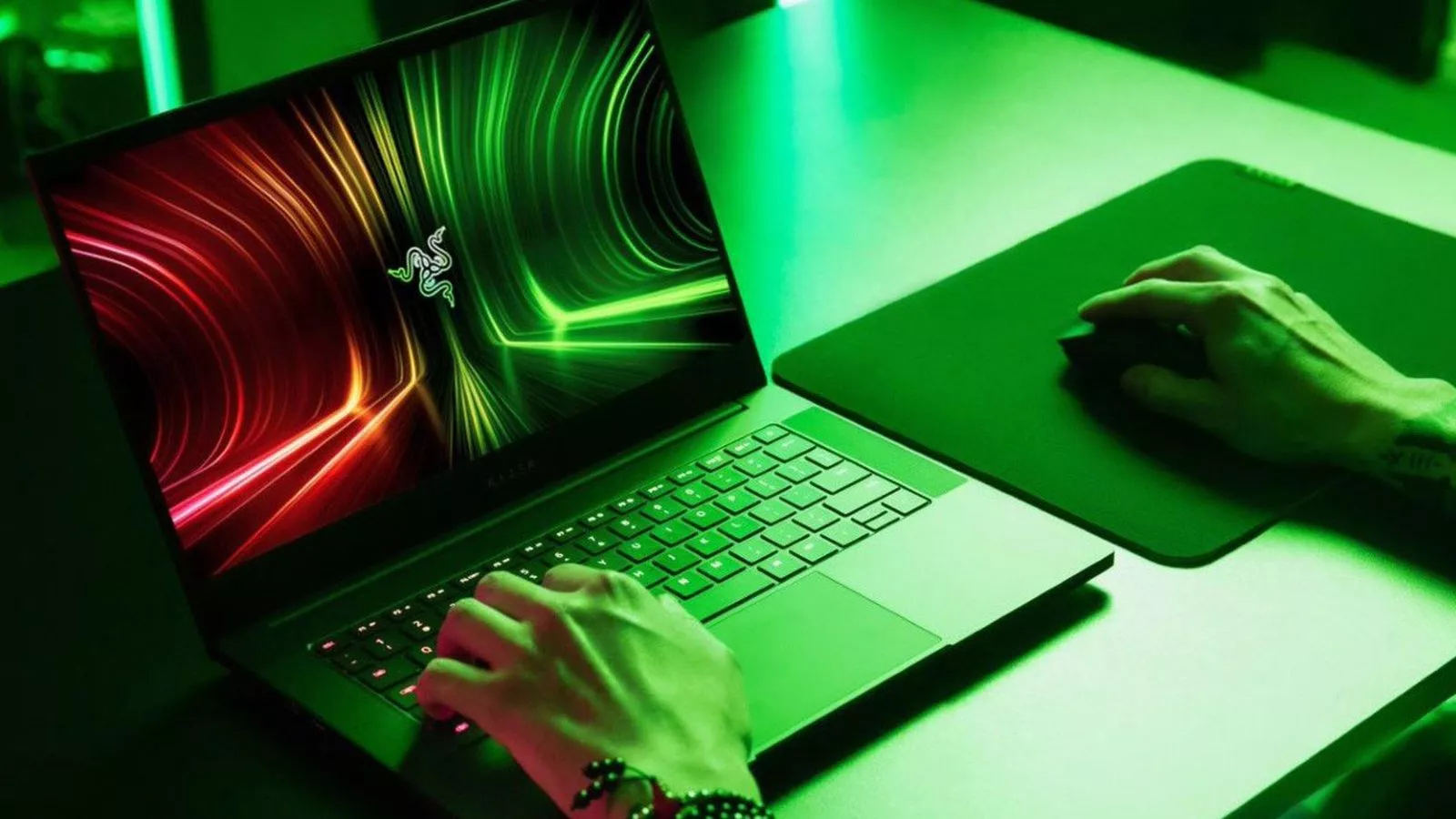
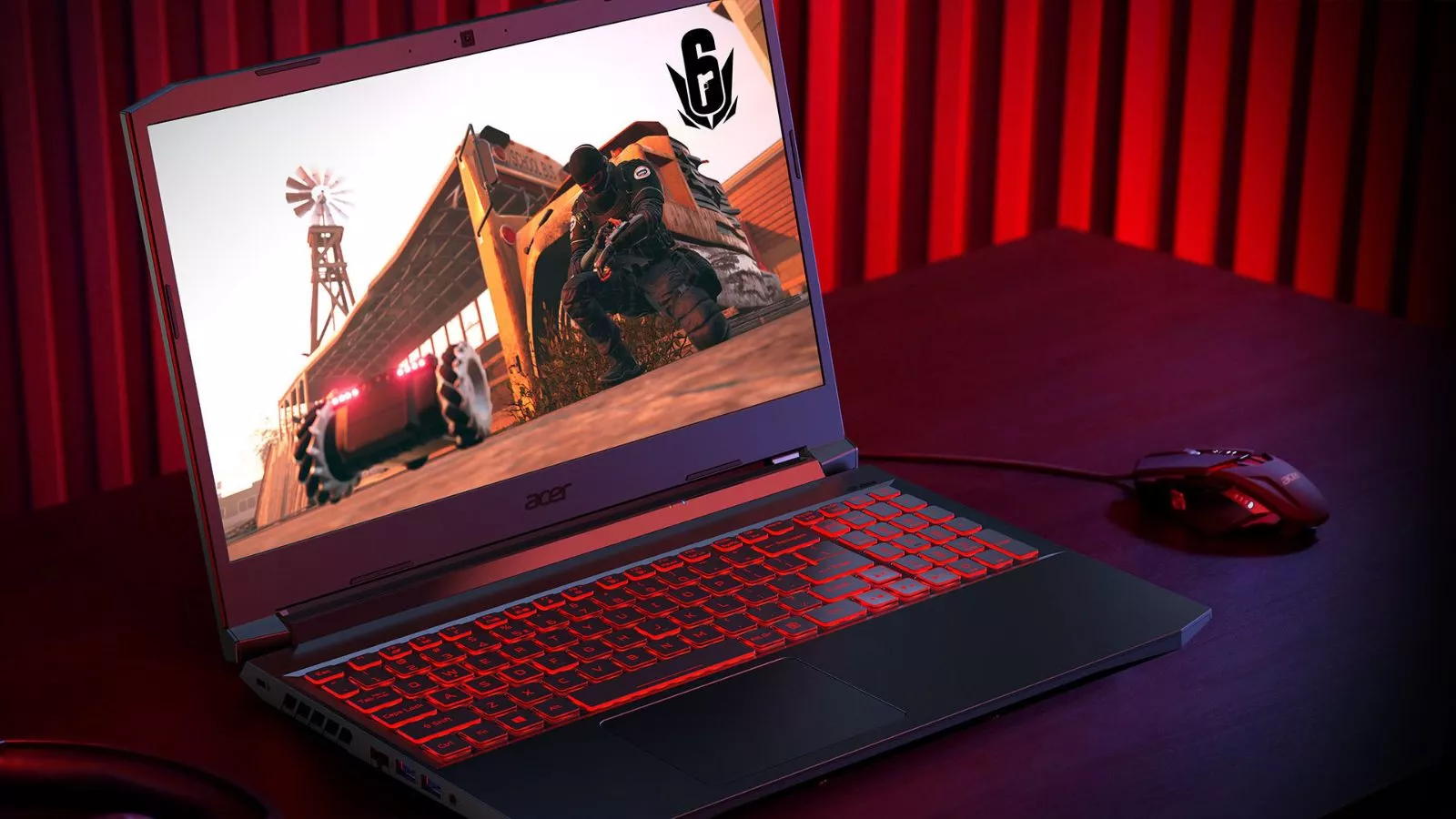
A gaming laptop is a high-performance portable computer built with a dedicated graphics card (GPU), a powerful processor (CPU), fast memory, and advanced cooling to handle modern video games and demanding creative tasks. If you are a gamer who needs portability, a student who wants one machine for coursework and play, or a creative professional working with video and music, a gaming laptop is one of the most versatile investments you can make in 2026.
What Is a Gaming Laptop?
A gaming laptop is a portable computer specifically designed to run graphically demanding applications, primarily video games, at smooth frame rates and high visual quality. Unlike a regular everyday laptop that prioritizes battery life, thinness, and basic productivity, a gaming laptop packs significantly more powerful hardware under its hood. The difference is immediately noticeable when you look at the key components inside.
At the heart of every gaming laptop sits a dedicated GPU, which is a specialized chip designed to render complex 3D graphics in real time. Regular laptops usually rely on integrated graphics built into the processor, and while those can handle spreadsheets and streaming video just fine, they fall flat the moment you try to run a modern AAA title at decent settings. Gaming laptops, on the other hand, come equipped with dedicated GPUs from NVIDIA (the GeForce RTX series) or AMD (the Radeon RX series) that are specifically built to push millions of pixels per second at high frame rates.
Beyond the GPU, gaming laptops also carry more powerful CPUs, faster and larger amounts of RAM, high-speed SSD storage, higher refresh rate displays, and beefier cooling systems to keep all that hardware from overheating during extended sessions. They are, in essence, compressed gaming desktops designed to fit into a form factor you can carry in a backpack. The trade-offs include heavier weight, shorter battery life, and a higher price tag compared to standard laptops, but for many people, the ability to game and create anywhere makes those compromises worthwhile.
Key Components of a Gaming Laptop
Understanding the core hardware inside a gaming laptop is essential before you spend your money. Each component plays a specific role in how your machine performs, and knowing the basics will help you separate a good deal from a bad one.
GPU (Graphics Processing Unit)
The GPU is the single most important component for gaming performance. It handles all the heavy lifting when it comes to rendering the 3D worlds, lighting effects, shadows, and textures you see on screen. In 2026, the gaming laptop market is dominated by NVIDIA’s GeForce RTX 50 series, built on the new Blackwell architecture. The lineup includes the RTX 5050 and RTX 5060 for entry-level and mid-range laptops, the RTX 5070 and RTX 5070 Ti for the performance sweet spot, and the RTX 5080 and RTX 5090 for flagship machines that rival desktop-level performance.
One of the biggest advancements in the current generation is DLSS 4, NVIDIA’s AI-powered upscaling and frame generation technology. DLSS 4 introduces Multi-Frame Generation, which can synthesize up to three additional frames for every natively rendered frame. In practical terms, this means an RTX 5070 laptop can now deliver frame rates that previously required a much more expensive GPU, making mid-range gaming laptops far more capable than they were even a year ago. When evaluating GPUs, pay close attention to the TGP (Total Graphics Power) rating, which tells you how much wattage the laptop allows the GPU to consume. A higher TGP generally means better performance but also more heat and less battery life.
CPU (Central Processing Unit)
While the GPU handles graphics, the CPU manages everything else — game logic, physics calculations, AI behavior, background tasks, and communication between all the components. In 2026, the two main players are Intel with its Core Ultra series (including the Core Ultra 7 and Core Ultra 9 processors) and AMD with its Ryzen AI 9 series. Both platforms offer excellent gaming performance, and the real-world differences between them are narrower than marketing would have you believe. For most gamers, any current-generation H-series or HX-series processor from either brand will handle modern games without becoming a bottleneck.
RAM (Random Access Memory)
RAM acts as your laptop’s short-term working memory, holding the data your CPU and GPU need immediate access to while running games and applications. In 2026, 16 GB of DDR5 RAM is the minimum you should consider for a gaming laptop, but 32 GB is quickly becoming the standard recommendation for anyone who plans to keep their machine for more than a couple of years. AAA titles are using more and more memory, and running games alongside a web browser, Discord, and streaming software can eat through 16 GB faster than you might expect. The good news is that DDR5 memory is now standard across almost all gaming laptops, offering significantly faster speeds than the older DDR4 standard.
Storage (SSD)
Storage is where your operating system, games, and files live permanently. Every modern gaming laptop uses an SSD (Solid State Drive) rather than an older mechanical hard drive, and the difference in loading times and general system responsiveness is enormous. A 1 TB NVMe SSD is the practical minimum for a gaming laptop in 2026, considering that a single modern game can easily consume 80 to 150 GB or more of space. If your budget allows, stepping up to 2 TB provides much more breathing room and reduces the annoyance of constantly uninstalling games to make space. PCIe Gen 4 SSDs are the current standard, with Gen 5 SSDs beginning to appear in higher-end models, offering even faster read and write speeds.
Cooling System
The cooling system is arguably the most underappreciated component in a gaming laptop, and it directly determines how well all the other hardware can actually perform. A powerful GPU and CPU generate a tremendous amount of heat under load, and if the cooling system cannot dissipate that heat quickly enough, the hardware will throttle itself, reducing clock speeds to avoid damage and costing you frames per second right when you need them most. Modern gaming laptops use a combination of heat pipes, vapor chambers, multiple fans, and carefully engineered air intake and exhaust vents to manage temperatures. Some higher-end models also use liquid metal thermal compounds instead of traditional thermal paste for even better heat transfer. If you want to learn more about managing heat and finding laptops with the best cooling systems, it is worth researching before you buy, because two laptops with identical specs on paper can perform very differently depending on how well they handle thermals.
Who Should Buy a Gaming Laptop?
The beauty of a modern gaming laptop is that it is no longer just a machine for gamers. The powerful hardware inside makes it a genuinely versatile tool for a wide range of users, and in many cases, it is the smartest single-device investment you can make.
Students
Students are one of the groups that benefit most from owning a gaming laptop. Think about it — you need a computer for writing papers, researching, attending online lectures, coding, running specialized software for your major, and yes, unwinding with some games between study sessions. A gaming laptop handles all of these tasks without breaking a sweat. If you have been debating whether gaming laptops are a good fit for students, the short answer in 2026 is a resounding yes, especially with models becoming lighter, more affordable, and more power-efficient than ever before.
Office and Remote Workers
For professionals who need a reliable workhorse for daily office tasks — email, spreadsheets, video calls, multitasking across dozens of browser tabs — a gaming laptop is more than capable and often outperforms dedicated business laptops when it comes to handling heavier workloads. The powerful processor and ample RAM make multitasking a breeze, and the dedicated GPU can accelerate tasks like data visualization, financial modeling, and presentation rendering. If your job involves any kind of computational work beyond basic typing, you might find that a gaming laptop is surprisingly well-suited for office work.
Content Creators
Video editors, 3D artists, graphic designers, and music producers are natural candidates for gaming laptops. The dedicated GPU dramatically speeds up video rendering, and the fast processor and generous RAM make working with large project files much smoother. If you regularly edit video and need a portable editing station, you will find that gaming laptops deliver excellent performance for video editing thanks to their GPU-accelerated rendering capabilities. Similarly, music producers who work with resource-heavy DAWs (Digital Audio Workstations) and virtual instruments often discover that gaming laptops handle music production workflows surprisingly well, offering the processing power needed to run complex sessions without dropouts or latency issues.
Gamers
Of course, the primary audience for a gaming laptop remains gamers themselves. Whether you play competitive multiplayer titles that demand high frame rates or immersive single-player adventures with ray tracing and cinematic visuals, a dedicated gaming laptop provides the performance you need away from a traditional desktop setup. The portability factor means you can game at home, at a friend’s house, at a coffee shop, or on the go — something a desktop simply cannot offer.
Gaming Laptop vs Regular Laptop
Understanding the differences between a gaming laptop and a regular laptop helps you decide whether the extra cost is justified for your needs.
Performance is the most obvious difference. A regular laptop typically uses an integrated GPU, a lower-power processor, and modest RAM, which is perfectly fine for web browsing, document editing, and streaming video. A gaming laptop, by contrast, includes a dedicated GPU, a more powerful CPU, faster and more abundant RAM, and a high-speed SSD, all designed to handle resource-intensive tasks. The result is a machine that can run modern games at 60 frames per second or higher while simultaneously handling multitasking and creative workloads that would bring a regular laptop to its knees.
Price is the second major difference. A capable regular laptop for everyday use can be purchased for $400 to $800, while a gaming laptop typically starts around $800 for entry-level models and can easily exceed $2,000 to $3,000 or more for high-end configurations. You are paying a premium for that dedicated GPU, enhanced cooling, higher refresh rate display, and overall build quality.
Use cases are where the decision ultimately comes down to personal needs. If you only browse the web, check email, and watch videos, a regular laptop is all you need and spending more on a gaming laptop would be wasteful. But if you play games, edit videos, produce music, run computational software, or simply want one powerful machine that can handle anything you throw at it for the next several years, a gaming laptop is the better long-term investment.
Are Gaming Laptops Worth It in 2026?
This is one of the most common questions people ask, and the answer depends on what you value. If you have been weighing the pros and cons and asking yourself whether gaming laptops are truly worth the investment, here is a balanced breakdown.
The case for buying one: Gaming laptops in 2026 are more powerful, more efficient, and more versatile than they have ever been. The latest RTX 50 series GPUs built on NVIDIA’s Blackwell architecture deliver performance that was desktop-exclusive just two years ago, packed into machines that weigh as little as four to five pounds. Features like DLSS 4 and AI-enhanced thermal management mean you get more frames per second with less heat and better battery life. A single gaming laptop can replace a desktop PC, a separate work laptop, and even a portable creative workstation.
The case for hesitation: Gaming laptops are still more expensive than regular laptops, their battery life under gaming loads remains limited (typically one to two hours), and their upgrade paths are restricted compared to a desktop. You can usually swap out the SSD and sometimes the RAM, but the CPU and GPU are almost always soldered in place, meaning you are locked into whatever hardware you buy for the life of the machine.
Longevity and value: A well-chosen gaming laptop can easily last four to five years before it starts to feel outdated for modern games. If you buy a machine with a current-generation mid-range GPU like the RTX 5070, it will handle upcoming games well into 2029 and beyond at reasonable settings. For budget-conscious buyers, there is also the option of purchasing a previous-generation model at a significant discount, and if you are open to going that route, it is worth understanding whether buying a used gaming laptop is a good idea and what to watch out for.
Buying Guide: How to Choose the Right Gaming Laptop
Choosing the right gaming laptop can feel overwhelming with so many models and specs to consider. Here is a practical framework to simplify the process.
Set Your Budget
Your budget determines which tier of gaming laptop you can realistically target. In 2026, the market breaks down roughly like this: entry-level machines with RTX 5050 or RTX 5060 GPUs start around $800 to $1,200 and handle 1080p gaming at medium to high settings. Mid-range machines with RTX 5070 or RTX 5070 Ti GPUs fall in the $1,300 to $2,000 range and comfortably handle 1440p gaming at high settings with ray tracing enabled. High-end machines with RTX 5080 or RTX 5090 GPUs run from $2,000 to $3,500 or more and target 4K gaming, professional creative work, and maximum visual fidelity. If you are looking for excellent performance without breaking the bank, our guide to the best gaming laptops under $1,500 is a great starting point.
Prioritize the Right Specs
Match your specs to your actual use case. If you play competitive esports titles, a high refresh rate display (165 Hz or above) and strong CPU performance matter more than a top-tier GPU. If you play visually demanding AAA games, the GPU becomes your priority. For content creators, look for a balance of GPU power, 32 GB of RAM, and at least 1 TB of fast SSD storage. Regardless of your focus, never neglect the cooling system, because even the most powerful specs are meaningless if the laptop throttles under sustained load.
Pay Attention to the Display
The display is your window into everything you do on the laptop, so it deserves careful consideration. Key specs include resolution (1080p, 1440p, or 4K), refresh rate (how many frames per second the display can show, typically 144 Hz to 240 Hz on gaming laptops), response time (lower is better for reducing motion blur), and panel type (IPS for good all-around quality, OLED for exceptional contrast and color accuracy, or Mini-LED for strong HDR performance). In 2026, a 1440p display with a 165 Hz refresh rate has become the most popular sweet spot for gaming laptops, offering a great balance of visual sharpness and smooth gameplay.
Check the Cooling Design
As mentioned earlier, cooling is critical. Before buying any gaming laptop, look for reviews that test sustained performance under load, not just peak benchmark numbers. A laptop that scores well in a quick benchmark but throttles after ten minutes of gaming is not delivering the experience you are paying for. Vapor chamber cooling, dual-fan designs with large heatsinks, and well-placed intake and exhaust vents are all positive signs. If you want to take an active role in managing your laptop’s thermals, learning how to keep your laptop cool while gaming can significantly extend both performance and hardware lifespan.
Consider Battery Life Realistically
No gaming laptop will last a full workday while running games — that is simply the reality of powering a high-performance GPU and CPU simultaneously. However, modern gaming laptops have made significant strides in battery efficiency for non-gaming tasks. Many current models can deliver six to eight hours of productivity use (web browsing, document editing, video streaming) on battery, even if gaming drains the battery in one to two hours. If portability and battery life matter to you, look for laptops with NVIDIA’s latest Max-Q optimizations and hybrid graphics switching, which allows the laptop to use the power-efficient integrated GPU for light tasks and only engage the dedicated GPU when needed. If you are curious about the energy demands, understanding how many watts a laptop uses under different workloads can help you make an informed choice.
Common Problems with Gaming Laptops
Even the best gaming laptops come with trade-offs. Being aware of the most common issues helps you set realistic expectations and take steps to mitigate them.
Heat and Thermal Throttling
Heat is the number one challenge with gaming laptops. Packing powerful desktop-class hardware into a thin, enclosed chassis naturally generates a lot of heat, and managing that heat effectively is an ongoing engineering challenge. If the cooling system is not up to the task, the CPU and GPU will throttle their clock speeds to prevent thermal damage, resulting in lower frame rates and a less enjoyable gaming experience. Choosing a laptop with a proven cooling design is the most important step you can take. You might also wonder whether gaming laptops can be used comfortably without a cooling pad — the answer depends heavily on the specific laptop and how it handles thermals. For those who want an extra layer of thermal management, investing in one of the best laptop cooling pads can lower temperatures by several degrees and help maintain consistent performance during long gaming sessions.
Battery Life Under Load
As discussed, gaming on battery is not a realistic expectation for extended sessions. High-performance components draw a lot of power, and even the largest laptop batteries (typically 80 to 99.9 Wh) will drain quickly under full gaming load. The practical approach is to game while plugged in and enjoy the battery for lighter tasks on the go. This is a fundamental trade-off of portable gaming and one that is unlikely to change dramatically until battery technology sees a major breakthrough.
Weight and Bulk
Gaming laptops are heavier and bulkier than regular laptops because they need space for larger batteries, beefier cooling systems, and more powerful hardware. A typical 16-inch gaming laptop weighs between 2.2 and 2.8 kg (roughly 4.8 to 6.2 pounds), and high-end 18-inch models can weigh even more. If you have ever wondered why gaming laptops tend to be bulkier than their regular counterparts, the answer comes down to physics — more powerful components generate more heat, and more heat requires more cooling infrastructure, which takes up space and adds weight. That said, the industry has made impressive progress in this area, and several 2026 models manage to pack high-end hardware into surprisingly slim and portable chassis designs.
Tips to Improve Gaming Laptop Performance
Even after buying a capable gaming laptop, there are several practical steps you can take to squeeze out every bit of performance and extend the life of your machine.
Optimize Your Thermal Environment
Where you use your laptop matters more than most people realize. Gaming on a soft surface like a bed or couch blocks the air intake vents on the bottom of the machine, causing temperatures to spike and performance to drop. Always use your gaming laptop on a hard, flat surface that allows for proper airflow. Elevating the back of the laptop slightly with a stand or cooling pad can also improve airflow and reduce temperatures. Keeping the internal fans and vents free of dust buildup is another simple but effective maintenance step — a can of compressed air used every few months can make a meaningful difference.
Use In-Game Settings Wisely
Not all graphical settings have an equal impact on visual quality versus performance. Settings like volumetric fog, screen-space reflections, and ultra-quality shadows often have a massive performance cost with only a marginal visual improvement over the high preset. Experiment with lowering these specific settings while keeping textures, resolution, and core effects at higher levels. Additionally, take full advantage of NVIDIA’s DLSS or AMD’s FSR upscaling technology — these AI-driven features can dramatically boost your frame rate with minimal or no visible loss in image quality, and DLSS 4 in particular has improved to the point where many gamers leave it enabled permanently.
Keep Drivers and Software Updated
NVIDIA and AMD regularly release driver updates that optimize performance for new games and fix bugs that can impact frame rates and stability. Keeping your GPU drivers up to date is one of the easiest ways to ensure you are getting the best possible performance from your hardware. Similarly, keeping Windows updated, closing unnecessary background applications, and ensuring your laptop’s power plan is set to high performance while plugged in can all contribute to a smoother gaming experience.
Monitor and Manage Temperatures
Use monitoring software to keep an eye on your CPU and GPU temperatures during gaming sessions. If you notice temperatures consistently exceeding 90 degrees Celsius under load, it may be worth reapplying thermal paste (or having a professional do it), adjusting fan curves in the laptop’s control software, or using a cooling pad for additional airflow. Healthy sustained temperatures for most gaming laptops should sit in the 75 to 85 degree Celsius range under heavy gaming loads.
Best Gaming Laptops in 2026: Quick Recommendations
While the “best” gaming laptop depends entirely on your budget and needs, here are some general recommendations based on the price tiers that have emerged in 2026.
Budget (Under $1,200)
At this price point, look for laptops equipped with an NVIDIA RTX 5050 or RTX 5060 GPU, a current-generation Intel Core i5 or AMD Ryzen 5 processor, 16 GB of DDR5 RAM, a 512 GB to 1 TB SSD, and a 1080p 144 Hz display. Models like the Lenovo LOQ series and the Acer Nitro V series deliver solid 1080p gaming performance at an accessible price. These machines are ideal for esports titles and older AAA games, and they make excellent first gaming laptops for students and casual gamers.
Mid-Range ($1,200 to $2,000)
The mid-range segment is where the real value lies in 2026. Laptops with RTX 5070 or RTX 5070 Ti GPUs, Intel Core Ultra 7 or AMD Ryzen 7 processors, 16 to 32 GB of DDR5 RAM, 1 TB SSDs, and 1440p 165 Hz displays dominate this tier. The ASUS TUF Gaming F16, Lenovo Legion Pro 5, and Acer Predator Triton series are all strong choices. An RTX 5070 laptop in a well-cooled chassis is arguably the smartest gaming laptop purchase you can make right now — it delivers high-quality 1440p gaming with ray tracing and DLSS 4 without the steep price tag of a flagship machine.
High-End ($2,000 and Above)
For buyers who want the absolute best, this tier includes laptops with RTX 5080 or RTX 5090 GPUs, top-of-the-line Intel Core Ultra 9 or AMD Ryzen 9 processors, 32 to 64 GB of DDR5 RAM, 2 TB or larger SSDs, and premium 1440p or 4K displays with OLED or Mini-LED technology at 240 Hz refresh rates. The ASUS ROG Zephyrus G16, Razer Blade 18, MSI Titan, and HP Omen Max 16 are standout performers in this category. These are desktop-replacement machines that can handle 4K gaming, professional content creation, and AI workloads without compromise.
Frequently Asked Questions
Are gaming laptops good for students?
Yes, gaming laptops are an excellent choice for students in 2026. They offer the processing power to handle demanding coursework, run specialized software for fields like engineering, design, or computer science, and still provide a great gaming experience during downtime. With many models becoming thinner and lighter, carrying one to class is no longer the burden it used to be.
Do gaming laptops last longer than regular laptops?
Generally, yes. Gaming laptops are built with more robust components and better cooling systems, which helps them maintain performance over time. A mid-range gaming laptop purchased today should comfortably last four to five years for gaming and even longer for general productivity tasks. Regular laptops often feel sluggish sooner because their lower-powered hardware has less headroom as software demands increase.
Can a gaming laptop replace a desktop?
For most users, absolutely. The performance gap between gaming laptops and desktops has narrowed significantly, especially with the RTX 50 series. A high-end gaming laptop with an RTX 5080 or RTX 5090 can rival mid-tier desktop gaming PCs in raw performance. The main trade-offs are limited upgradeability and shorter sustained performance under maximum load compared to a well-cooled desktop tower.
How long does a gaming laptop battery last while gaming?
Expect one to two hours of battery life during active gaming, depending on the game’s demands and the laptop’s battery capacity. For non-gaming tasks like web browsing, document editing, and video streaming, most modern gaming laptops deliver five to eight hours on a single charge. Always plan to have your charger nearby for gaming sessions.
Are used gaming laptops worth buying?
Used gaming laptops can be an excellent value if you know what to look for. Previous-generation machines with RTX 4070 or RTX 4080 GPUs are being sold at significant discounts as the RTX 50 series becomes widely available. The key is to check the battery health, thermal performance, and overall physical condition before purchasing. Buying from reputable sellers with return policies is always recommended.
Do gaming laptops need a cooling pad?
Not always, but it depends on the specific laptop. Models with well-designed cooling systems can maintain healthy temperatures during gaming without any external help. However, a cooling pad can reduce temperatures by a few degrees and help maintain consistent performance during extended sessions, especially in warmer environments. It is a relatively inexpensive accessory that can make a noticeable difference in the long run.
What refresh rate do I need for a gaming laptop?
For most gamers, a 144 Hz display is the entry point for a smooth gaming experience, and it is a dramatic improvement over the 60 Hz panels found on standard laptops. Competitive gamers who play fast-paced shooters and esports titles may benefit from 165 Hz, 240 Hz, or even 300 Hz panels. For casual and single-player gaming, 144 Hz is more than enough, and the money saved can be better spent on a more powerful GPU or more RAM.
Final Thoughts
Gaming laptops in 2026 represent the most capable and versatile generation of portable gaming hardware ever produced. With NVIDIA’s Blackwell GPUs delivering desktop-class performance in mobile form factors, AI-powered technologies like DLSS 4 stretching every frame further, and improvements in cooling, display quality, and battery efficiency across the board, there has never been a better time to invest in a gaming laptop. Whether you are a student looking for a machine that handles both coursework and gaming, a professional who needs portable creative power, or a dedicated gamer who wants to play anywhere without compromise, the right gaming laptop exists for your needs and budget. Take the time to understand the specs that matter, prioritize cooling and display quality alongside raw performance, and you will end up with a machine that serves you well for years to come