Last Updated on May 18, 2026 by CU Staff
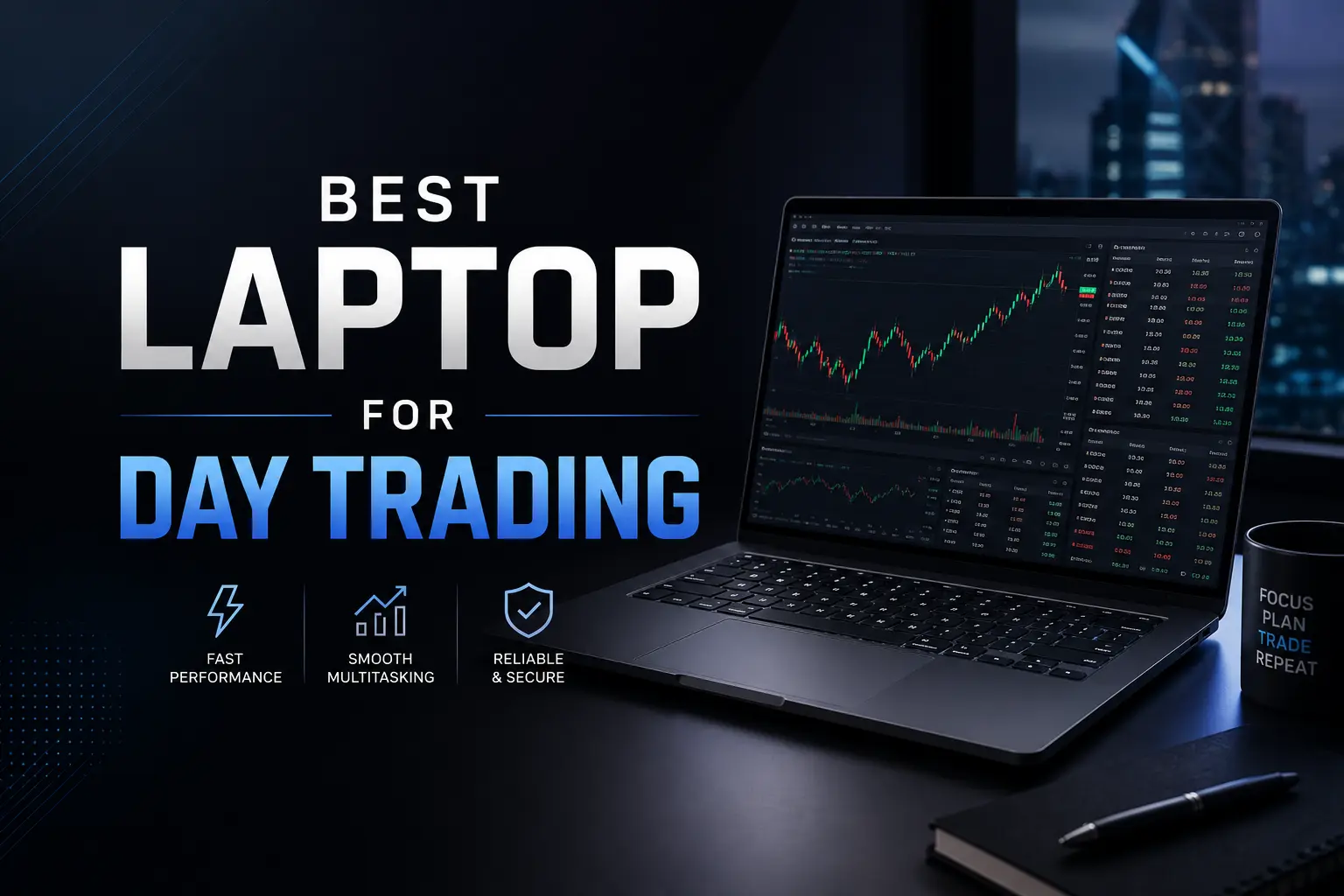
The best laptop for day trading has at least an Intel Core i7 or AMD Ryzen 7 processor, 16GB of RAM (32GB preferred), a fast NVMe SSD, and support for two or more external monitors. Battery life, build quality, and reliable Wi-Fi matter just as much as raw power, since traders need a machine that stays stable through long sessions and quick decisions.
Day trading punishes slow hardware. When a chart freezes for half a second during a breakout, that delay can cost real money. Unlike gaming or office work, trading combines several heavy tasks at once: live data streams, multiple charts, a broker platform, a news feed, a spreadsheet, and usually a few browser tabs full of research. A weak laptop will choke on this load, and a flashy spec sheet does not guarantee it will hold up either.
The right machine for trading is one that runs cool, boots fast, handles 20 to 30 browser tabs without complaint, and connects to one or two extra monitors when you are at your desk. It also has to be portable enough to take to a coffee shop or hotel room if your style of trading is mobile. Most traders do not need a $4,000 workstation. They need a balanced laptop with the right priorities.
This guide walks through every spec that matters, the laptops worth shortlisting at different budgets, and the buying mistakes that trip up new traders. By the end, you will know exactly what to look for and what to ignore.
What makes a laptop good for day trading?
Trading software is not particularly demanding on its own. Open one chart in TradingView and almost any modern laptop can run it. The difficulty comes from doing many things at once, all in real time, for hours.
A good trading laptop handles four things well.
Speed. Order entry has to feel instant. If you click “buy” and there is even a half-second of UI lag, you have already lost the price you wanted. Fast processors and fast storage make the whole system feel snappy.
Stability. A laptop that randomly crashes or restarts during a market session is unusable for trading. This is partly a hardware quality issue and partly a software issue, but cheap laptops fail here more often than premium ones.
Multi-tasking. You will likely have your broker platform, two or three charting windows, a news terminal, Excel, Discord or Slack, and several Chrome tabs open at once. RAM and CPU cores decide how smoothly this stack runs.
Multi-monitor support. Most serious traders use two to four screens. Your laptop needs the right ports and graphics output to drive them without lag or weird refresh issues.
If a laptop is strong in these four areas, you have a trading machine. If it is weak in any of them, you will feel it daily.
Minimum specs needed for day trading
Here is the realistic floor for each component. Anything below this and you will eventually regret the purchase.
CPU
Aim for at least an Intel Core i5 (12th gen or newer) or AMD Ryzen 5 (5000 series or newer). For active day trading with many platforms open, Core i7 or Ryzen 7 is the sweet spot. Core i9 and Ryzen 9 chips are overkill for trading alone, but they make sense if you also run heavy backtesting, run a coding IDE, or do video work on the side.
CPU clock speed matters more than core count for trading software, because most trading apps are not heavily multithreaded. A 4.5 GHz boost clock will feel faster than a 3.0 GHz chip with more cores, all else equal.
RAM
16GB is the practical minimum. 32GB is what I would actually recommend if you can afford it. The reason is simple: Chrome and modern trading platforms are RAM hungry. Open ThinkorSwim, MetaTrader 5, TradingView in a browser tab, Excel, and 15 other tabs, and you will easily push past 12GB.
If you are wondering whether more RAM will actually speed up your computer, the answer for traders is yes, up to a point. Once you have enough RAM to hold everything you use at once, adding more does not help. But running out of RAM is brutal, because the system starts using the slower SSD as virtual memory and everything stutters.
SSD
An NVMe SSD is non-negotiable in 2026. A 512GB drive is fine for most traders. 1TB gives you room to keep trade journals, recorded sessions, historical tick data, and backups without juggling files.
Avoid laptops that still ship with mechanical hard drives or slow SATA SSDs. The boot time difference alone is enormous, and so is how fast platforms launch in the morning. Once you have an NVMe SSD, there are also some simple tweaks to keep it running at full performance over the years.
Display
A 15.6-inch or 16-inch screen is the standard for traders who travel. The display should be at least Full HD (1920×1080), preferably with an IPS panel for accurate colors and wide viewing angles. QHD or higher is great if you read a lot of text on charts.
Matte screens are easier on the eyes during long sessions than glossy ones. Refresh rate beyond 60Hz is nice but not essential for trading. What does matter is brightness, especially if you trade near a window or in cafes.
Battery life
Real-world battery life of 6 to 8 hours is a sensible target. Manufacturers always quote the best-case number, so cut their figure by about 30% to estimate what you will actually get with charts open and Wi-Fi on. If you trade mainly at home, this matters less, but for traveling traders it is one of the most important specs.
Battery longevity matters too. A common worry is whether laptop batteries keep charging once they hit 100%, and most modern laptops handle this well, but it is worth checking before you commit to one model.
Connectivity
You want Wi-Fi 6 or Wi-Fi 6E at minimum, plus an Ethernet port if you can find one. Traders should never rely solely on Wi-Fi for live trading if Ethernet is available, because a dropped packet at the wrong moment can mean a missed exit. A good laptop should also have HDMI, USB-C with DisplayPort support, and at least two USB-A ports for peripherals.
A stable home network setup is just as important as the laptop itself. The fastest CPU in the world will not help you if your router is dropping connections.
Is a gaming laptop good for day trading?
Yes, and in many cases it is the smarter buy. Gaming laptops are built to push high frame rates while doing several things at once, which translates well to running multiple charts and platforms. They have powerful CPUs, plenty of RAM slots, fast SSDs, and better cooling than thin productivity laptops.
The advantages are real. Gaming laptops usually come with a dedicated GPU, which helps if you want to drive three or four external monitors at high resolution. They also have aggressive cooling fans, so long trading sessions do not cause the CPU to throttle. And the keyboards tend to be more comfortable for heavy use.
The downsides are weight, battery life, and looks. Most gaming laptops run 5 to 6 pounds and last 3 to 5 hours on battery. If you trade at a fixed desk all day, none of that matters. If you travel constantly, it might.
People often wonder whether you can use a gaming PC for normal everyday use without issues. The same logic applies to gaming laptops: they are general purpose machines with extra muscle. And for the related question of whether gaming laptops are good for office work, the answer for trading is similar. They handle it without breaking a sweat. The only real concession is portability.
Best laptop features for traders
Past the basic specs, certain features make a real difference once you start using the machine eight hours a day.
Fast SSD storage
NVMe SSDs read and write data several times faster than older SSDs. For trading, this means quicker boot times, faster platform launches, and faster file access when you are scrolling through trade journals or tick history. Look for PCIe 4.0 NVMe drives if your budget allows. A laptop that takes 15 seconds to boot and load all platforms beats one that takes 90 seconds, every single morning.
High RAM capacity
Look for laptops where the RAM is upgradable. Some thin and light models solder the memory to the board, which means whatever you buy is what you have forever. A laptop with two SODIMM slots lets you upgrade from 16GB to 32GB or 64GB later for a fraction of the cost of buying a new machine. Understanding how computer memory actually works helps when you start comparing laptops with DDR4 vs DDR5 RAM. DDR5 is faster, but the real-world difference for trading is small. Total RAM amount matters more.
Multiple ports
Day trading often turns into a desk setup with external monitors, a mechanical keyboard, a separate mouse, an external SSD for backups, and a USB hub. The more native ports a laptop has, the less you depend on adapters and dongles. Look for at least one HDMI 2.0, one or two USB-C with DisplayPort and Power Delivery, two USB-A, and an SD card slot if you do anything with photos or recordings.
A Thunderbolt 4 or USB4 port is a huge bonus because it can drive multiple monitors and a docking station through a single cable.
Long battery life
Battery life is less about all-day endurance and more about flexibility. If your laptop holds 6 hours, you can take a meeting, move to a coffee shop, or trade from your couch without hunting for an outlet. There is also the simple practical question of whether laptops slowly lose charge when turned off, and yes, they do, just very slowly. So if you trade only a few times a week, do not assume your battery will be full when you flip the lid open.
Lightweight design
A laptop you actually carry is more valuable than the most powerful one that stays on your desk. Sub-4-pound machines are easy to commute with. 5-pound machines start to feel heavy in a backpack after a half-hour walk. 6-plus pounds is for desk warriors only. Find the balance you can live with.
Best laptops for different types of traders
There is no single “best” laptop for everyone. Your style of trading shapes which features matter most.
Beginner traders
If you are just starting and not yet sure how active your trading will be, you do not need to spend $2,500 on day one. A solid mid-range laptop with a Core i5 or Ryzen 5, 16GB RAM, and a 512GB SSD is plenty. The Dell Inspiron 16, Acer Swift Go 16, HP Pavilion Plus 14, and Lenovo IdeaPad Pro 5 all fit in the $700 to $1,100 range and will run any retail trading platform smoothly.
The key for beginners is not to buy something so weak that you have to upgrade in a year. Cheap Celeron-class laptops with 8GB of soldered RAM will frustrate you within months. Building basic computing skills early on, like installing a fresh OS, tweaking startup programs, and keeping drivers updated, will also help you get the most out of whatever laptop you buy.
Forex traders
Forex traders usually live in MetaTrader 4 or MetaTrader 5, often with several Expert Advisors running automated strategies. This is not particularly CPU-intensive, but if you run 10 to 20 EAs across multiple charts, you start using real resources. A Core i7 or Ryzen 7 with 16GB RAM handles this well. Forex traders also tend to value battery life because the market runs 24 hours and you may trade from anywhere.
Good options include the Lenovo ThinkPad T14, ASUS Zenbook 14, and MacBook Air M3. All three are light, well-built, and have strong battery life.
Stock traders
Stock traders using ThinkorSwim, Interactive Brokers TWS, or platforms like Lightspeed and DAS Trader Pro need more CPU power. ThinkorSwim especially is known for being a memory hog. 32GB RAM is wise here. A Dell XPS 15, Lenovo Legion Slim 5, or ASUS ROG Zephyrus G14 are good picks. If you want a quieter, less aggressive design, the Lenovo ThinkPad P14s or ThinkPad T16 are excellent.
Crypto traders
Crypto traders often run multiple exchange windows, a charting platform like TradingView, a Discord or Telegram channel, and sometimes a wallet manager or a portfolio tracker. The hardware demands are similar to forex trading, but the security side matters more. Look for laptops with TPM 2.0, fingerprint readers, and Windows Hello support. Almost any modern business laptop has these. The Dell Latitude 7440 and Lenovo ThinkPad X1 Carbon are great for security-conscious traders.
Professional traders
If you trade full-time, run prop firm strategies, or work at a small trading firm, you can justify more powerful gear. A Core i9 or Ryzen 9 with 64GB RAM, a 2TB SSD, and a dedicated GPU is reasonable. Look at the MacBook Pro 16 M3 Pro/Max, Dell Precision 5680, Lenovo ThinkPad P16, or ASUS ROG Zephyrus G16. Professional traders often connect to firm infrastructure or low-latency execution servers, which puts them closer to the world of enterprise computing than retail. The laptop becomes one node in a bigger system, so reliability and remote desktop performance matter more than raw local power.
Why RAM and SSD matter for trading
These two components do more for day-to-day trading performance than anything else, including the CPU.
RAM is your short-term memory. Every chart, every browser tab, every running program lives in RAM. When you run out, Windows or macOS starts moving things to your SSD as virtual memory, which is far slower. The result is stutters, slow tab switching, and the dreaded spinning wheel during fast market moves. With 32GB of RAM, you almost never hit this wall.
SSD speed affects how fast everything launches and loads. When you boot the laptop in the morning, the SSD pulls the OS into RAM. When you open ThinkorSwim, it pulls the program files off the SSD. When you load a year of historical data, the SSD reads it. A slow SSD makes the laptop feel slow even when the CPU and RAM are strong. NVMe drives are typically 5 to 7 times faster than SATA SSDs, and the difference is obvious in normal use.
The combination matters too. A laptop with 16GB of slow DDR4 and a SATA SSD will feel sluggish. A laptop with 16GB of DDR5 and a PCIe 4.0 NVMe SSD will feel quick. If you have to choose between them, prioritize the SSD type first, then the RAM amount, then RAM speed.
Multi-monitor setup for day trading
Most active traders use at least two screens. The laptop screen handles the broker platform, while one or two external monitors show charts, news, and order book data. Some traders run setups with four or even six monitors, though this becomes overkill for most retail strategies.
For two external monitors, you need either two video output ports (HDMI plus USB-C with DisplayPort, for example) or a Thunderbolt 4 connection to a dock. Most modern laptops can drive two 1440p monitors at 60Hz without issue. For three or more monitors, you usually need a dedicated GPU or a USB-C docking station with DisplayLink support.
If you are setting up a home trading station, a common question is whether you actually need a PC behind a monitor or if a laptop can do the job. The short answer is no, a laptop alone can drive external monitors as long as it has the right outputs. Plug in the monitor, optionally close the laptop lid, and use a wireless keyboard and mouse. This setup is called “clamshell mode” on Macs and works similarly on Windows.
Cable quality matters too. Cheap HDMI cables can cause flickering on 4K displays. If your second monitor randomly cuts out, the cable is usually the problem before the laptop.
Laptop vs desktop for day trading
This is a real debate, not a marketing question. Desktops give you more power for the same money, run cooler, last longer, and are easier to upgrade. Laptops give you portability, which lets you trade from anywhere, including hotels, family visits, and coffee shops.
For pure performance per dollar, a desktop wins every time. A $1,200 desktop can match a $2,500 laptop in raw power. Desktops also handle more monitors, more storage, and longer trading sessions without thermal issues. They are the right choice if you trade full-time from one location and never travel.
But desktops chain you to one room. If your living situation might change, if you travel for work, or if you sometimes want to trade from a different room, a laptop is more practical. Some traders solve this by owning both: a desktop at home and a thin laptop for travel.
If you do go the desktop route, the question of which brand of desktop computer is best depends on whether you want to build one yourself or buy a prebuilt. Custom-built towers offer the best value but require some research. Brands like Dell, HP, and Lenovo make solid business desktops that work well as trading machines without any setup.
Common mistakes traders make when buying a laptop
A few patterns come up over and over. Knowing them in advance can save you from a frustrating purchase.
Buying too little RAM. 8GB looks fine on paper but breaks down fast in trading. Multiple charts plus a browser plus Excel plus a chat app already eats 10GB. Always start at 16GB minimum, and prefer upgradable RAM.
Ignoring cooling. Thin and light laptops look great but throttle under sustained load. After 30 minutes of heavy multi-tasking, the CPU drops to half its rated speed because the cooling system cannot keep up. Read thermal reviews on YouTube before buying. Channels like Notebookcheck and Just Josh test this properly.
Weak battery life or weak charging. A trading laptop that dies in 3 hours is useless for mobile traders. Also, check the charging port and brick. USB-C charging with 90W or higher is convenient because you can use the same charger for your phone, tablet, and laptop.
Cheap build quality. Hinges that wobble, keyboards that flex, and screens that lift the laptop crooked are signs of a machine that will not survive heavy use. Trading laptops get opened and closed several times a day, often quickly. They need to hold up. The question of how long a laptop should last often comes down to build quality more than specs. A well-built mid-range laptop can outlive a cheap high-spec one by years.
Buying the latest model on day one. New laptop models often have BIOS issues, driver problems, or thermal quirks in the first few months. Reading reviews from people who have owned the machine for 3 to 6 months gives a much more honest picture than launch-day coverage.
How to optimize a laptop for trading
A new laptop out of the box is rarely optimized for serious trading. A few hours of setup work makes a big difference.
Strip the bloatware. Most Windows laptops ship with trial software, junk antivirus, and manufacturer utilities that run in the background. Uninstall what you do not need. Disable startup programs you never use. There are many free ways to speed up a computer without spending any money, and most of them apply directly to trading setups.
Manage background apps. Cloud sync apps like OneDrive, Dropbox, and Google Drive scan files in the background and can slow things down at the worst moments. Either disable them during market hours or set them to sync only on Wi-Fi when idle.
Update drivers and firmware. Out-of-date GPU drivers cause display issues with external monitors. Out-of-date BIOS causes random crashes. Check the manufacturer’s website monthly.
Tune the power settings. Set Windows to “Best performance” mode while trading. On battery, switch to “Balanced” to extend runtime. On macOS, the system handles this fairly well by default, but turning off automatic graphics switching helps if you use an external GPU or multiple monitors.
Network optimization. Plug in via Ethernet if possible. If only Wi-Fi is available, switch to the 5 GHz or 6 GHz band, place the router as close as possible, and avoid mesh systems with hop penalties. A wired Ethernet connection is almost always faster and more reliable than Wi-Fi for live trading.
Power profile awareness. Knowing roughly how many watts your laptop uses helps you plan your UPS or battery backup. A typical trading laptop pulls 30 to 60 watts under normal load, with peaks up to 100 watts. A small UPS can keep you online through a power blip and let you exit positions safely before shutting down.
Best brands for trading laptops
No brand is perfect, but some are consistently better for trading than others.
Dell. The XPS and Latitude lines are excellent for trading. Strong build, good keyboards, reliable warranties. The Precision workstation series is overkill for most retail traders but ideal for professionals.
Lenovo. ThinkPads are the gold standard for business reliability. The keyboards are the best in the industry, the build quality is rock solid, and they handle multi-monitor setups well. The Legion gaming line is also great if you want more power for the same money.
ASUS. The Zenbook and ROG lines are both strong, depending on whether you want thin or powerful. ProArt Studiobook laptops are also worth a look if you do any content creation on the side.
Apple. MacBooks have the best battery life on the market and excellent build quality. The M3 and M4 chips are powerful and efficient. The catch is that some trading platforms run only on Windows. Bootcamp does not work on Apple Silicon, so you would need a Windows virtual machine for platforms like ThinkorSwim native app or NinjaTrader. Web-based platforms like TradingView and broker web portals work fine.
HP. The EliteBook and ZBook lines are solid for trading. The Omen gaming line is good if you want gaming-class power without the loud aesthetics. HP’s consumer lines (Pavilion, Envy) are decent but less reliable for heavy daily use.
Do you need a dedicated GPU for trading?
Mostly, no. Trading platforms are not GPU-intensive. Charts, even complex ones with many indicators, are mostly drawn by the CPU.
A dedicated GPU helps in three situations.
First, when you want to drive three or more external monitors at high resolution. Integrated graphics often max out at two external displays at 4K, or three at 1080p. A dedicated GPU handles four or more without issue.
Second, when you run heavy backtesting or strategy optimization that uses GPU acceleration. Some platforms like NinjaTrader and certain Python backtesting libraries can offload calculations to the GPU.
Third, when you do video work, machine learning, or any other GPU-heavy task alongside trading. A trader who also edits YouTube videos or trains models benefits from a GPU.
For everyone else, a strong integrated graphics chip like Intel Iris Xe or AMD Radeon 780M is plenty. It saves money, battery life, and weight.
Battery life and portability considerations
If you trade only at home, skip this section. If you travel, even occasionally, this matters a lot.
A laptop with 8-plus hours of real battery life lets you trade a full session from anywhere. A laptop with 4 hours forces you to plan around outlets. The difference shapes how you live.
For full-time travelers and digital nomad traders, weight is the second factor. A 3-pound laptop fits in any backpack. A 5-pound laptop becomes a chore after the third airport. The trade-off is usually power: lighter laptops typically have less powerful CPUs and worse cooling.
Most traders land in the middle. A 4-pound, 14-inch laptop with 16GB RAM and 8 hours of battery is the sweet spot for mobile trading. The MacBook Air M3, Lenovo ThinkPad X1 Carbon, Dell XPS 14, and ASUS Zenbook 14 OLED all fit this profile.
Charging on the go is also worth thinking about. USB-C charging laptops can use the same brick as your phone (with enough wattage), which saves bag space. Some support charging from a high-capacity power bank, which is useful if you trade from places without reliable power. And in the long run, if you trade only a few days a week, knowing how your battery behaves during idle storage helps you plan when to top up.
Final verdict
If you want one recommendation for most day traders today, look hard at a 15-to-16-inch Windows laptop with a Core i7 or Ryzen 7 CPU, 32GB RAM, a 1TB NVMe SSD, integrated graphics, and at least two video outputs. Around the $1,200 to $1,700 mark, this gives you everything you need without paying for performance you will not use.
If you trade casually and want a lighter machine, the MacBook Air M3 with 16GB RAM and 512GB storage is excellent, as long as your trading platform is web-based or has a Mac version.
If you are a professional trader running heavy automation, backtesting, or six monitors, jump to a mobile workstation like the Dell Precision 5680, Lenovo ThinkPad P16, or MacBook Pro 16 M3 Max with 36GB or 48GB of unified memory.
The biggest mistake is buying the cheapest laptop you can find and hoping it lasts. Trading is a job, and a slow or unreliable tool will cost you more in missed trades than the price difference of a proper machine. Pick something you will be happy with for three to four years, and treat the purchase as part of your trading infrastructure.
FAQs
Is a gaming laptop good for day trading?
Yes. Gaming laptops have strong CPUs, plenty of RAM, fast SSDs, dedicated GPUs, and good cooling, which all help with running multiple charts and platforms. The main downsides are weight and battery life, so they suit desk-based traders more than mobile ones.
How much RAM is needed for day trading?
16GB is the minimum for a smooth experience. 32GB is recommended if you run several platforms, many browser tabs, and other apps at once. Professional traders or those who multitask heavily may want 64GB.
Do day traders need multiple monitors?
Most active traders use at least two monitors. One screen is rarely enough for charts, news, and order entry at the same time. Two to four monitors is typical. The laptop’s main screen counts as one, so a single external monitor often does the job for retail traders.
Is a MacBook good for day trading?
Yes, especially the MacBook Air M3 and MacBook Pro M3. They have excellent battery life, fast performance, and great build quality. The only issue is software compatibility, since some Windows-only trading platforms like ThinkorSwim desktop or NinjaTrader do not have native Mac versions. Web-based platforms work without trouble.
Can trading software run on budget laptops?
Most trading software will technically run on a budget laptop, but the experience suffers fast once you open multiple charts or platforms. Cheap laptops with 8GB RAM and slow SSDs lag badly during market hours. Spend a bit more for 16GB RAM and an NVMe SSD if you can.
Is SSD important for day trading?
Very important. An NVMe SSD speeds up boot time, platform loading, and overall responsiveness. Avoid laptops with mechanical hard drives or slow SATA SSDs. The difference is obvious in everyday use.
What internet speed do I need for day trading?
A stable 25 Mbps connection is enough for most retail trading. What matters more than raw speed is latency and reliability. A wired Ethernet connection is far better than Wi-Fi for live order execution.
How long should a trading laptop last?
A well-built laptop used for trading should last four to six years before feeling slow. Battery life will degrade first, usually around year three. Keeping the SSD healthy, the OS updated, and the cooling system clean extends the life significantly.
Do I need a dedicated GPU for day trading?
Not usually. Trading platforms are not GPU-intensive. A dedicated GPU helps only if you want to run four or more external monitors, do GPU-accelerated backtesting, or use the laptop for video editing or machine learning alongside trading.
Can I trade on a Chromebook?
Only if your broker has a fully web-based platform. Most serious trading platforms do not run on ChromeOS. TradingView works in a browser, and so do most broker web portals, so basic trading is possible. For active day trading with multiple platforms, a Chromebook is too limited.
Is Wi-Fi 6 worth it for trading?
Yes, if your router supports it. Wi-Fi 6 has better stability and lower latency under load, which matters when several devices share the same network during market hours. Wi-Fi 6E adds the 6 GHz band, which is even less congested.
Should I buy a 2-in-1 convertible laptop for trading?
Probably not. Convertibles trade some performance and cooling capacity for the touchscreen and 360-degree hinge. You almost never use those features for trading. A standard clamshell laptop gives you better performance for the same money.