Last Updated on March 26, 2026 by CU Staff
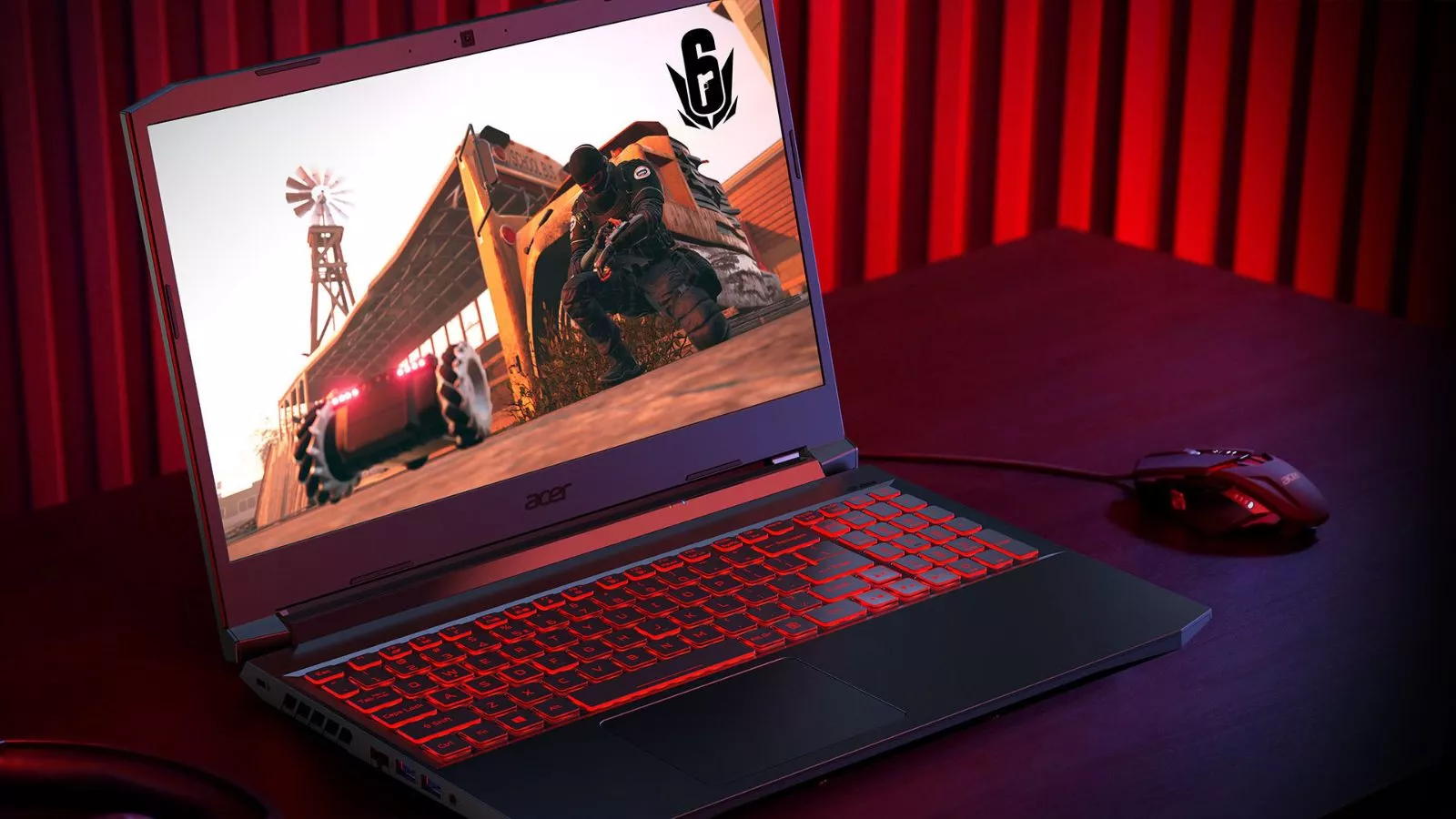
Gaming laptops are bulkier because they pack high-performance processors, powerful dedicated graphics cards, advanced cooling systems, and larger batteries into a portable form factor. These components generate significant heat and require more physical space, making gaming laptops thicker and heavier than standard laptops. The bulk is a necessary trade-off for delivering desktop-level performance in a device you can carry around.
Quick Summary: Key Reasons for the Extra Bulk
Gaming laptops weigh more and occupy more space due to a combination of factors working together. High-wattage CPUs and GPUs need room to breathe. Cooling solutions with multiple fans, heat pipes, and vapor chambers take up considerable internal space. Larger batteries are essential to power these energy-hungry components. Reinforced chassis materials add structural weight. High-refresh-rate displays with bigger panels contribute to the overall footprint. And additional gamer-focused features such as RGB lighting, full-size keyboards, and expanded port selections further increase the size.
Understanding these reasons helps you decide whether the extra weight is a worthwhile trade-off for the power you get in return.
What Is a Gaming Laptop?
A gaming laptop is a portable computer specifically designed to handle graphically demanding video games, creative workloads, and other performance-intensive tasks. Unlike regular laptops built primarily for web browsing, document editing, and media consumption, gaming laptops feature dedicated graphics cards, high-performance processors, faster RAM, and advanced display technology.
If you are new to the concept and want a deeper understanding, our complete guide on what is a gaming laptop covers everything from the basics to the latest specifications and features you should know about in 2026.
The key distinction is that gaming laptops prioritize raw performance. That performance comes at a cost, and one of the most visible costs is size and weight. Let us break down exactly why that is the case.
Key Reasons Why Gaming Laptops Are Bulkier
The bulk of a gaming laptop is not an accident or a design flaw. Every extra millimeter of thickness and every additional gram of weight serves a purpose. Below are the primary reasons gaming laptops remain larger and heavier than their everyday counterparts.
1. High-Performance Hardware (CPU and GPU)
The single biggest contributor to a gaming laptop’s size is the hardware inside it. Modern gaming laptops in 2026 ship with processors and graphics cards that rival what you would find in a desktop computer. These components are physically larger than the low-power chips used in ultrabooks and consume far more electrical power.
A dedicated GPU alone can draw anywhere from 80 to 175 watts under load, and a high-performance mobile CPU can add another 45 to 65 watts on top of that. These chips require substantial circuit boards, dedicated memory modules, and voltage regulation hardware, all of which take up space inside the laptop chassis.
More importantly, all that electrical energy converts to heat. The more powerful the hardware, the more thermal energy it produces, which directly leads to the next major reason for the added bulk.
If you have been questioning whether this extra power is actually necessary for your needs, our detailed breakdown on are gaming laptops worth it can help you weigh the costs and benefits.
2. Advanced Cooling Systems
Heat is the biggest enemy of laptop performance. When processors and graphics cards get too hot, they throttle their clock speeds to prevent damage, which results in lower frame rates, stuttering gameplay, and sluggish performance. To prevent this, gaming laptops incorporate complex thermal management systems that regular laptops simply do not need.
A typical gaming laptop cooling solution includes two or more high-speed fans, multiple copper heat pipes, vapor chamber technology, and carefully engineered airflow channels. Some premium models feature liquid metal thermal compounds, additional intake and exhaust vents, and even secondary cooling modules. All of these components add thickness and weight to the device.
The fans themselves need to be larger to move sufficient air volume across the heat sinks. Heat pipes need to extend from the CPU and GPU to the edge-mounted radiators. Vapor chambers need a flat surface area to spread heat efficiently. None of this can happen in a chassis that is only 15 millimeters thin.
This is also why choosing a gaming laptop with the best cooling often means accepting a slightly thicker design. If you want to learn more about thermal management, our guide on how to keep laptops cool when gaming offers practical tips and explains the science behind effective cooling.
3. Larger Batteries
Gaming hardware is power-hungry. Running a high-end GPU and CPU at full tilt can easily draw over 200 watts from the system. While gaming laptops spend most of their time plugged into a wall outlet during heavy gaming sessions, users still expect reasonable battery life for lighter tasks such as browsing, streaming, or working on documents.
To deliver even a few hours of usable battery life, gaming laptops need significantly larger battery cells than standard laptops. Many gaming laptops in 2026 carry batteries in the 80 to 99.9 watt-hour range, which is the maximum capacity allowed on commercial flights. These high-capacity batteries are physically larger and heavier than the 40 to 55 watt-hour batteries found in most ultrabooks.
The relationship between power consumption and battery size is straightforward. If you are curious about the specifics, our article on how many watts does a laptop use explains the energy requirements of different laptop types and how that translates to battery demands.
4. Stronger Build Quality
Gaming laptops are designed to withstand more demanding conditions than a standard office laptop. Gamers tend to press keys with more force during intense gameplay, the internal components generate substantial heat that stresses materials over time, and the laptop may be transported frequently between home, school, and LAN events.
To handle these stresses, manufacturers use reinforced chassis designs, metal hinges, thicker plastic or aluminum body panels, and additional internal bracing around critical components. Some high-end models feature full magnesium alloy or aluminum unibody construction that adds rigidity but also adds weight.
The display hinge is another area that requires extra engineering. Gaming laptops often have larger, heavier screens, which need sturdier hinges that can support the weight and resist wobbling during use. All of this structural reinforcement contributes to the overall heft of the machine.
5. High-Refresh Rate Displays
Gamers demand fast, responsive displays. Standard laptops typically ship with 60Hz panels, which refresh the image on screen 60 times per second. Gaming laptops, on the other hand, commonly feature 144Hz, 165Hz, 240Hz, or even 360Hz displays that deliver significantly smoother motion and a competitive advantage in fast-paced games.
These high-refresh-rate panels require more sophisticated display driver circuits and faster data connections between the GPU and the screen. Many gaming laptops also feature larger 16-inch or 17.3-inch screens with higher resolutions such as QHD (2560 x 1440) or even 4K, which further increases the size and weight of the display assembly.
The bezels around these screens have gotten thinner over the years, but the panel itself, its backlight, and the supporting electronics still add meaningful bulk compared to the smaller, lower-resolution displays found in lightweight productivity laptops.
6. Extra Features for Gamers
Beyond the core performance components, gaming laptops include a range of additional features that contribute to their size. Per-key RGB backlighting requires additional circuit layers beneath the keyboard. Full-size keyboards with number pads (common on 17-inch models) increase the footprint of the device. High-quality stereo speakers with larger drivers take up internal volume that could otherwise reduce thickness.
Port selection is another factor. Gamers and content creators need multiple USB-A ports, USB-C with Thunderbolt, HDMI 2.1, DisplayPort, Ethernet jacks, and SD card readers. Fitting all of these connections along the sides of the laptop requires a certain minimum thickness for the port cutouts alone.
Some models also include dedicated hardware switches for toggling performance modes, a webcam with a physical privacy shutter, and upgraded Wi-Fi antennas. Each feature, small on its own, adds up to a measurably larger and heavier machine.
Are Gaming Laptops Always Bulky?
Not necessarily. The laptop industry has made significant strides in creating thinner and lighter gaming laptops. Models from manufacturers like ASUS, Razer, and MSI now offer gaming-capable machines that weigh under 2 kilograms and measure less than 18 millimeters thick. These slim gaming laptops use lower-wattage GPU variants, more efficient processor designs, and creative thermal solutions to cut weight.
However, there is always a trade-off. Slim gaming laptops generally run their components at lower power limits, which means they deliver less raw performance than their bulkier counterparts. They tend to run hotter under sustained loads, produce more fan noise relative to their cooling capacity, and may throttle sooner during extended gaming sessions.
Whether you need a cooling pad to support your laptop depends partly on whether you own one of these slimmer designs or a full-size gaming machine with more robust built-in cooling.
Pros of a Bulkier Gaming Laptop Design
A bigger chassis is not all downside. Here are the real advantages that come with the extra size.
Better thermal performance. More interior space means larger fans, longer heat pipes, and better airflow. This keeps temperatures lower and allows the hardware to run at its full potential for longer periods without throttling. If sustained performance matters to you, bulkier designs consistently outperform thin-and-light alternatives.
Higher sustained performance. With superior cooling, the CPU and GPU can maintain their boost clock speeds during demanding tasks. This translates directly to higher frame rates in games, faster video rendering, and smoother multitasking.
Longer component lifespan. Electronics degrade faster at higher temperatures. A gaming laptop that runs cooler will generally last longer before components start failing. The additional thermal headroom in a bulkier design helps protect your investment over time.
More ports and connectivity. Thicker chassis designs can accommodate a wider range of full-size ports without requiring adapters or docking stations.
Better keyboard and speaker quality. More internal space allows for deeper key travel on the keyboard and larger speaker drivers, both of which improve the daily user experience.
Cons of Bulkier Gaming Laptops
Despite the performance benefits, the extra weight and size come with genuine downsides.
Reduced portability. Carrying a 2.5 to 3.5 kilogram laptop plus its power brick, which can weigh an additional 0.5 to 1 kilogram, is noticeably more tiring than carrying a 1.3 kilogram ultrabook. This matters significantly if you commute daily.
Larger power adapters. High-wattage gaming laptops require beefy power bricks (often 230W to 330W) that are large and heavy on their own. Some newer models support USB-C charging for lighter tasks, but full performance still requires the dedicated adapter.
Not ideal for travel. The combination of size, weight, and the need for a large power adapter makes bulkier gaming laptops less convenient for frequent flyers and travelers. Battery life under gaming loads is also limited, making the laptop dependent on outlet access.
Desk space requirements. Larger gaming laptops need more surface area, which can be a concern in cramped dorm rooms, small desks, or coffee shop tables. You might also benefit from using one of the best laptop cooling pads to keep temperatures in check, which takes up even more space.
Who Should Choose a Bulkier Gaming Laptop?
Bulkier gaming laptops are the right choice for specific types of users who prioritize performance and versatility over portability.
Serious gamers who play demanding AAA titles and competitive multiplayer games will benefit most from the higher sustained frame rates and better thermal performance that a full-size gaming laptop provides.
Content creators and video editors working with 4K footage, complex timelines, and rendering tasks need the sustained CPU and GPU performance that only well-cooled, higher-wattage machines can deliver. If video editing is a priority, our guide on whether a gaming laptop is good for video editing explains exactly what to look for.
Music producers running multiple virtual instruments, plugins, and real-time audio processing benefit from the extra horsepower. Check out our article on gaming laptops for music production for specific recommendations.
Students who want one laptop for both studying and gaming can find the added bulk manageable if they are not commuting long distances daily. Our piece on gaming laptops for students explores whether this trade-off makes sense.
Professionals who work from home or have a fixed workstation setup can take advantage of the extra power without the portability penalty. For those considering it as a work machine, our article on gaming laptops for office work discusses the practical pros and cons.
When You Should Avoid Bulky Gaming Laptops
Not every user needs the extra power that a large gaming laptop offers, and for some people, the weight is a genuine dealbreaker.
If you travel frequently for work and need to carry your laptop through airports, train stations, or client meetings, a bulky gaming laptop will become a burden quickly. The combined weight of the laptop and its power adapter can easily exceed 4 kilograms, which is uncomfortable in a backpack or shoulder bag over extended periods.
If your primary tasks are web browsing, document editing, video calls, and light media consumption, you are paying a weight and price premium for performance you will rarely use. A standard ultrabook or a thin-and-light productivity laptop would serve you much better.
If you only play casual or less demanding games, a mid-range slim laptop with integrated graphics or a lower-power dedicated GPU may handle your gaming needs adequately without the extra bulk.
Are Slim Gaming Laptops Better?
The answer depends entirely on your priorities. Slim gaming laptops offer greater portability, a more professional appearance suitable for office or classroom settings, and good enough performance for many games and creative tasks. They have improved dramatically over the past few years and continue to get better.
However, they consistently trail their bulkier siblings in sustained performance benchmarks. A slim gaming laptop with a 60-watt GPU will never match the frame rates of a full-size model running the same GPU at 140 watts. The difference can be anywhere from 15 to 35 percent depending on the game and the specific hardware configuration.
Slim models also tend to have shorter battery life under load, louder fan noise relative to their cooling capacity, and fewer port options. If you can live with those trade-offs, a slim gaming laptop can be an excellent daily companion. If maximum performance is your priority, the bulkier designs remain the better choice.
For those looking at specific models that balance performance and cooling effectively, our list of the best gaming laptops under 1500 includes options across different form factors.
Final Verdict
Gaming laptops are bulkier in 2026 because performance demands have grown faster than miniaturization technology can keep up. Powerful GPUs, high-wattage CPUs, advanced cooling systems, large batteries, reinforced builds, and feature-rich designs all contribute to the added size and weight.
The bulk is not a flaw. It is the physical cost of delivering desktop-class computing performance in a portable package. For gamers, creators, and power users who need that performance, the trade-off is almost always worth it. For everyone else, the growing selection of slim gaming laptops offers a lighter alternative with acceptable performance compromises.
The best approach is to honestly assess your workload, your portability needs, and your budget. If you will mostly use the laptop at a desk and occasionally carry it to another room, the extra weight barely matters. If you need to carry it across campus every day, it matters a lot. Choose accordingly.
Frequently Asked Questions
Why are gaming laptops heavier than normal laptops?
Gaming laptops are heavier because they contain dedicated graphics cards, high-performance processors, larger cooling systems with multiple fans and heat pipes, bigger batteries, and reinforced chassis materials. Standard laptops use lower-power integrated components that generate less heat and require less cooling infrastructure, allowing them to be thinner and lighter.
Are bulky gaming laptops better than slim ones?
In terms of raw sustained performance, yes. Bulkier gaming laptops can accommodate more powerful hardware running at higher wattages, paired with superior cooling that prevents throttling. This results in higher frame rates, faster rendering, and more consistent performance under heavy workloads. However, slim gaming laptops are better for portability and everyday convenience.
Can slim gaming laptops perform the same as bulky ones?
Not quite. Slim gaming laptops use lower-wattage versions of the same GPUs and CPUs, which means they deliver less peak and sustained performance. The gap typically ranges from 15 to 35 percent depending on the specific components and the task. Slim models also tend to throttle sooner during extended sessions due to more limited cooling capacity.
Do bigger laptops cool better?
Generally, yes. A larger chassis provides more room for bigger fans, additional heat pipes, and better airflow design. This allows the cooling system to dissipate heat more efficiently, keeping internal temperatures lower and enabling the hardware to perform at its full potential for longer durations. This is one of the primary functional advantages of a bulkier laptop design.
How much do gaming laptops typically weigh?
Most full-size gaming laptops weigh between 2.2 and 3.5 kilograms, with some high-end 17-inch models exceeding 3.5 kilograms. The power adapter adds another 0.5 to 1 kilogram. Slim gaming laptops typically weigh between 1.6 and 2.2 kilograms, making them noticeably easier to carry.
Is the extra weight of a gaming laptop worth it?
For users who prioritize gaming performance, creative workloads like video editing or 3D rendering, or any task that benefits from sustained high-performance computing, the extra weight is generally worth it. The superior cooling and higher-wattage components deliver tangibly better results. For casual users or frequent travelers, a lighter option may be more practical.
Will gaming laptops get lighter in the future?
The trend is moving toward thinner and lighter designs as chip manufacturing becomes more power-efficient and cooling technologies continue to improve. Advances in materials science also help reduce weight without sacrificing structural integrity. However, there will always be a trade-off between size and thermal capacity. The most powerful gaming laptops will likely remain heavier than standard laptops for the foreseeable future.