Last Updated on March 26, 2026 by CU Staff
Gaming laptops are built to handle demanding workloads, but heat is still one of their biggest challenges. If you have ever felt your laptop turn scorching hot during an intense gaming session, you have probably wondered whether a cooling pad is the answer. In 2026, with faster processors and more powerful GPUs packed into increasingly compact designs, the question of thermal management is more relevant than ever.
Most gaming laptops do not strictly need a cooling pad to function, but using one can noticeably reduce temperatures, prevent thermal throttling, and extend the lifespan of your machine. A cooling pad is not a necessity for everyone, but it is a smart investment if you push your laptop hard on a regular basis.
In this guide, we will break down exactly when a cooling pad makes sense, when you can skip it, what alternatives exist, and how to choose the right one if you decide to buy.
What Is a Gaming Laptop?
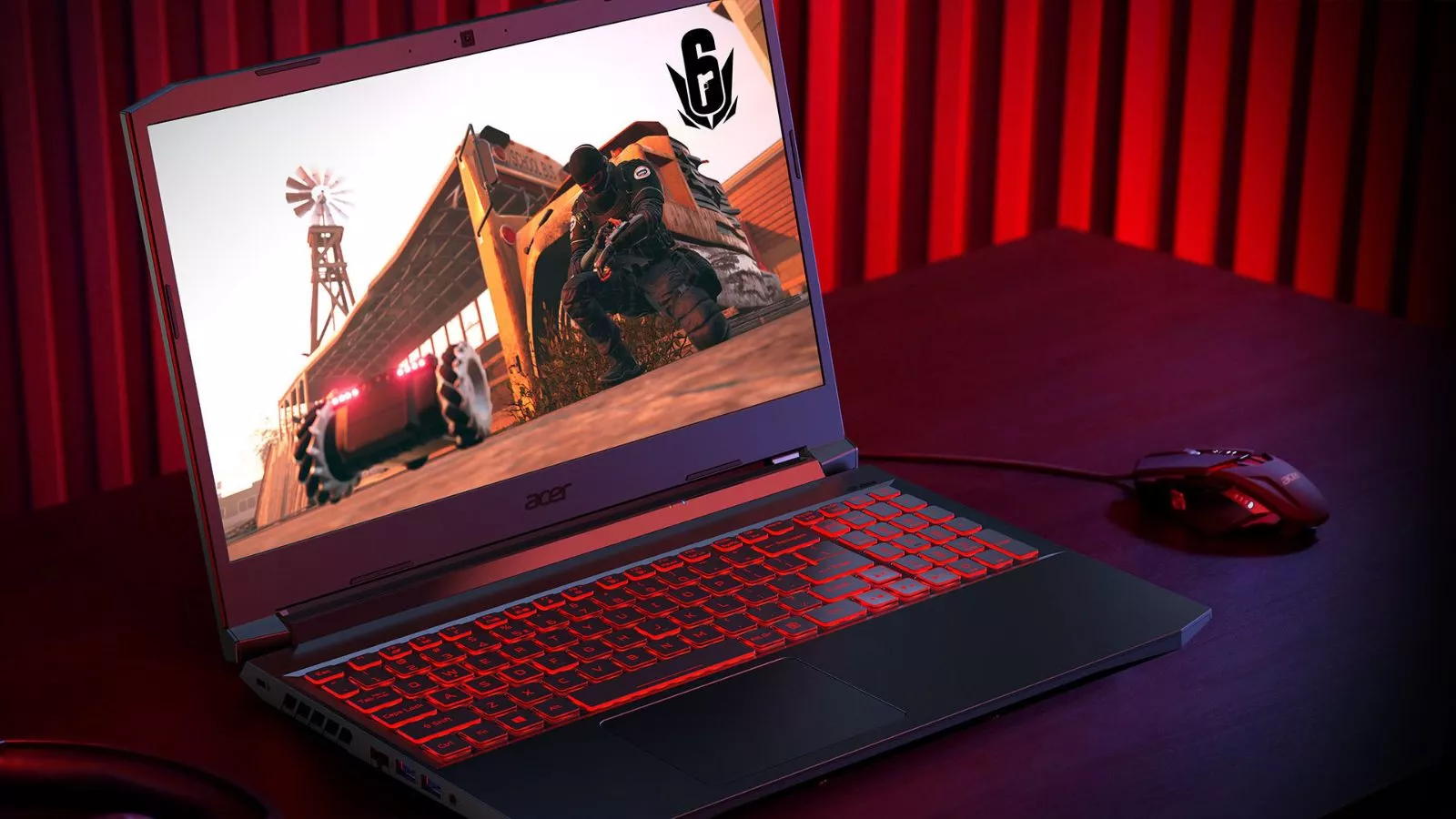
Before we dive into cooling, it helps to understand what makes a gaming laptop different from a regular one. A gaming laptop is a portable computer designed with high-performance hardware, including a dedicated graphics card (GPU), a powerful processor (CPU), faster RAM, and a high-refresh-rate display. These components allow it to run graphically demanding games, creative applications, and heavy multitasking workloads that standard laptops simply cannot handle.
The tradeoff for all this performance is heat. Every one of these components generates significant thermal output, and because everything is crammed into a thin, portable body, dissipating that heat becomes a serious engineering challenge. This is why gaming laptops are bulkier than everyday ultrabooks. They need larger heat sinks, multiple fans, and wider ventilation pathways just to keep temperatures within safe limits.
Why Gaming Laptops Heat Up
To understand the cooling pad debate, you need to understand why gaming laptops get so hot in the first place.
High-Performance Components
Modern gaming laptops in 2026 ship with processors and graphics cards that draw significant power. A mid-range gaming laptop can easily consume 120 to 180 watts under load, and high-end models push well beyond that. To put that in perspective, you can learn more about how many watts a laptop uses across different scenarios. All of that electrical energy eventually turns into heat that the cooling system must manage.
Compact Form Factor
Unlike a desktop PC where components are spread out inside a large tower with plenty of airflow, a gaming laptop packs everything into a chassis that is usually under an inch thick. There is very little room for air to circulate, which means the internal fans and heat pipes are constantly working overtime to move heat away from the CPU and GPU.
Airflow Limitations
Many users unknowingly make the problem worse by placing their laptop on soft surfaces like beds, couches, or blankets. These surfaces block the intake vents on the bottom of the laptop, trapping hot air inside and causing temperatures to spike rapidly. Even on a hard desk, the small gap between the laptop’s bottom panel and the surface does not always provide enough clearance for effective air intake.
Extended Use Under Load
Short bursts of gaming or rendering may not cause problems, but extended sessions lasting two hours or more push components into sustained high temperatures. Over time, this can lead to thermal throttling, where the laptop automatically slows down its CPU or GPU to prevent damage. The result is stuttering frame rates, longer render times, and an overall sluggish experience.
Do You Really Need a Cooling Pad?
This is the key question, and the honest answer depends entirely on how you use your laptop.
When a Cooling Pad Helps
A cooling pad is genuinely useful if you regularly game for extended sessions, especially on titles that push your hardware to its limits. It is also beneficial if you use your gaming laptop for intensive creative work like video editing, 3D rendering, or music production. If your laptop sits on a desk for hours at a time under heavy load, a cooling pad provides a measurable reduction in surface and internal temperatures, typically between 3 to 8 degrees Celsius depending on the pad and the laptop.
When You Can Skip It
If you primarily use your gaming laptop for casual tasks like web browsing, streaming video, light office work, or even playing older or less demanding games, a cooling pad is unnecessary. Modern gaming laptops from reputable brands already come with competent cooling solutions that handle moderate workloads without any trouble. If your laptop was designed with excellent built-in cooling, you may not notice much benefit from adding an external pad on top of that.
Quick verdict: A cooling pad is optional but recommended for heavy users. If you game, edit video, or run demanding software for long periods, a cooling pad is one of the cheapest and simplest upgrades you can make. If your usage is light or moderate, your laptop’s internal cooling should be sufficient.
Pros of Using a Cooling Pad
There are several clear benefits to using a cooling pad with your gaming laptop, particularly for users who demand consistent performance.
Improved Airflow
A cooling pad elevates your laptop off the desk and provides additional fans that push cool air directly toward the intake vents on the bottom of the machine. This increased airflow helps the internal cooling system work more efficiently, reducing the burden on the laptop’s own fans.
Lower Operating Temperatures
Even a basic cooling pad can reduce CPU and GPU temperatures by a few degrees. This might not sound like much, but in the world of thermal management, even a 5-degree drop can be the difference between smooth performance and thermal throttling. Lower temperatures also mean your fans do not need to spin as aggressively, which reduces noise.
Sustained Performance During Long Sessions
Thermal throttling is one of the most frustrating problems gamers face. When your laptop overheats, it automatically reduces clock speeds to protect the hardware. A cooling pad helps maintain stable temperatures so that the processor and graphics card can run at their full potential for longer periods without hitting thermal limits.
Extended Hardware Lifespan
Heat is the silent killer of electronics. Consistently running your laptop at high temperatures accelerates wear on solder joints, degrades thermal paste faster, and shortens the overall life of components like the battery, SSD, and GPU. By keeping temperatures lower, a cooling pad contributes to a longer, healthier lifespan for your machine. This is especially important if you want to know whether gaming laptops are worth the investment over the long term.
Ergonomic Benefits
Many cooling pads come with adjustable height settings that tilt your laptop to a more comfortable typing and viewing angle. This added ergonomic benefit can reduce neck and wrist strain during long sessions, which is a nice bonus beyond just thermal management.
Cons of Cooling Pads
No product is perfect, and cooling pads come with a few drawbacks worth considering.
Additional Cost
A decent cooling pad costs anywhere from 20 to 60 dollars, with premium models going higher. While that is not a massive expense, it is still an added cost on top of what you already paid for your laptop.
Limited Improvement on Well-Cooled Laptops
If your gaming laptop already has a top-tier cooling system with vapor chambers, multiple large fans, and generous ventilation, the improvement from a cooling pad may be marginal. In such cases, you might only see a 1 to 3 degree drop, which may not justify the purchase.
Reduced Portability
Cooling pads add bulk to your setup. If you frequently carry your laptop to classes, coffee shops, or the office, lugging around a cooling pad on top of everything else is inconvenient. This is worth noting if you are a student considering whether gaming laptops are good for students who need portability.
Noise
Some budget cooling pads use small, high-speed fans that can be surprisingly loud. If noise is a concern, you will want to invest in a pad with larger, slower-spinning fans that move more air with less racket.
When You Should Use a Cooling Pad
There are specific scenarios where a cooling pad goes from being a nice-to-have to being practically essential.
Heavy Gaming Sessions
If you play graphically demanding titles like AAA open-world games, competitive shooters at high settings, or any game that consistently pushes your GPU utilization above 90 percent, a cooling pad helps maintain frame rates and prevents the dreaded thermal throttle from kicking in during crucial moments.
Video Editing and 3D Rendering
Rendering a video or a 3D scene puts sustained load on both the CPU and GPU for extended periods, sometimes hours at a time. If you frequently use your gaming laptop for creative work, a cooling pad is highly recommended. This is particularly relevant if you rely on your machine for video editing or music production, where sustained performance directly impacts your productivity.
Working in Warm Environments
Ambient temperature matters more than most people realize. If you live in a hot climate or work in a room without air conditioning, your laptop’s cooling system has to work harder because the air it is pulling in is already warm. A cooling pad helps compensate for this by providing additional forced airflow.
Using Your Laptop as a Desktop Replacement
If your gaming laptop stays on your desk most of the time and you use it the way you would use a desktop, a cooling pad is an easy and worthwhile addition to your setup. Many professionals who use gaming laptops for office work or as their primary workstation benefit from the added thermal headroom.
When You Do Not Need a Cooling Pad
Not every user needs a cooling pad, and in some situations, it genuinely does not make a difference.
Light and Casual Use
If your typical day involves web browsing, watching videos, writing documents, and light multitasking, your laptop’s internal fans can handle the heat output without any external help. These tasks do not generate enough heat to stress even a basic cooling system.
Already Well-Optimized Laptops
Some gaming laptops in 2026 come with advanced cooling technologies like liquid metal thermal compounds, vapor chamber heat spreaders, and intelligent fan curves that dynamically adjust to workload. If your laptop is one of these well-engineered models, the built-in system is likely sufficient for most scenarios, including moderate gaming.
Short Gaming Sessions
If you only game for 30 to 60 minutes at a time, your laptop may not even reach its thermal limits before you stop. In these cases, a cooling pad provides little to no benefit because the internal cooling system never gets overwhelmed.
Alternatives to Cooling Pads
If you are not sold on buying a cooling pad, there are other effective ways to manage your laptop’s thermals.
Ensure Proper Ventilation
The simplest and free solution is to always use your laptop on a hard, flat surface. A desk or table allows air to flow freely to the bottom intake vents. If you want a slight elevation, even propping the back of the laptop up with a small book or a dedicated laptop stand can improve airflow significantly.
Clean Your Laptop’s Fans and Vents
Over time, dust accumulates inside your laptop’s fans and heat sinks, acting like a blanket that traps heat inside. Using a can of compressed air to blow out dust every few months can restore cooling performance to near-factory levels. For a complete guide on keeping temperatures down, check out our article on how to keep laptops cool when gaming.
Undervolting
Undervolting is the process of reducing the voltage supplied to your CPU or GPU without reducing its clock speed. This results in lower power consumption and, consequently, lower heat output. Tools like ThrottleStop or Intel XTU (for compatible systems) make undervolting relatively straightforward. However, be aware that this requires some technical knowledge and not all modern laptops allow it due to locked BIOS settings.
Repasting the Thermal Compound
After a year or two of heavy use, the thermal paste between your CPU/GPU and their heat sinks can dry out and lose effectiveness. Replacing it with a high-quality thermal paste or liquid metal compound can drop temperatures by 5 to 15 degrees. This is a more advanced solution that involves opening your laptop, so it is best done by someone comfortable with hardware maintenance.
Adjusting In-Game Settings
Sometimes the simplest solution is to dial back a few settings in the games you play. Reducing shadow quality, lowering draw distances, or capping your frame rate can significantly reduce the load on your GPU, which directly translates to lower temperatures without any additional hardware.
What to Look for in a Good Cooling Pad
If you have decided that a cooling pad is right for you, here is what to consider before buying.
Fan Size and Configuration
Larger fans move more air at lower speeds, which means better cooling with less noise. Look for cooling pads with one or two large fans (120mm or bigger) rather than pads with many small fans. Small fans tend to be louder and less effective.
Airflow Design
The best cooling pads are designed to direct airflow toward the areas of the laptop that get hottest, typically the center and rear where the CPU and GPU are located. Some pads offer adjustable fan positions, which is useful because different laptop models have their heat sources in different locations.
Build Quality and Materials
A cooling pad made from metal (usually aluminum) conducts heat better than plastic and is more durable. Metal pads also tend to feel more premium and stable under your laptop.
Adjustable Height and Angle
A pad that lets you adjust the tilt angle provides both better airflow and improved ergonomics. Being able to angle your screen more naturally reduces strain during long sessions.
Noise Level
Check reviews specifically for noise complaints. A cooling pad that sounds like a jet engine defeats the purpose of a comfortable gaming setup. The best pads are nearly silent while still moving significant air.
USB Passthrough
Since most cooling pads plug into a USB port, look for one that has a USB passthrough so you do not lose a port on your laptop. This small feature makes a big practical difference.
For our top recommendations, take a look at our list of the best laptop cooling pads currently available. And if you are shopping for a new gaming laptop altogether, our guide to the best gaming laptops under 1500 dollars covers excellent options with strong built-in cooling.
Final Verdict
A cooling pad is not a requirement for every gaming laptop owner, but it is one of the most affordable and effective upgrades for anyone who regularly pushes their machine to its limits. If you game for hours, use your laptop for video editing or creative work, or simply live in a warm climate, a cooling pad will help your laptop run cooler, quieter, and faster.
For casual users who only game lightly or use their laptop for everyday tasks, the built-in cooling system on most modern gaming laptops is more than adequate. Focus instead on good habits like keeping vents clear, cleaning dust regularly, and using your laptop on hard surfaces.
The bottom line: think of a cooling pad as insurance for performance and longevity. It is not mandatory, but when the cost is minimal and the benefits are real, it is hard to argue against having one in your setup.
Frequently Asked Questions
Do cooling pads really work?
Yes, cooling pads work by increasing airflow to the bottom of your laptop, which helps the internal fans pull in cooler air more efficiently. Most users see a temperature reduction of 3 to 8 degrees Celsius, depending on the laptop and the quality of the cooling pad. They will not transform a poorly cooled laptop into a cool one, but they provide a meaningful and measurable improvement.
Can gaming laptops overheat without a cooling pad?
Gaming laptops can overheat under sustained heavy load, especially if the vents are blocked, the internal fans are dusty, or the ambient room temperature is high. When this happens, the laptop will thermal throttle, reducing performance to protect the hardware. A cooling pad is one way to reduce the risk, but proper ventilation and maintenance are equally important.
Are cooling pads necessary for beginners?
For beginners who use their gaming laptop for light gaming, schoolwork, or general use, a cooling pad is not necessary. The built-in cooling system is designed to handle normal workloads. However, if a beginner starts playing more demanding games or notices their laptop getting uncomfortably hot, a cooling pad is a simple and affordable solution.
Do cooling pads increase gaming performance?
Cooling pads do not directly make your hardware faster. What they do is prevent thermal throttling, which allows your CPU and GPU to maintain their full clock speeds for longer periods. In practical terms, this means more consistent frame rates and fewer performance dips during extended gaming sessions. The performance gain is indirect but real.
How much temperature difference does a cooling pad make?
The improvement varies based on the laptop, the cooling pad, and the environment. On average, a quality cooling pad reduces CPU temperatures by 3 to 8 degrees Celsius. Some high-end pads with large fans and metal construction can deliver even better results. The biggest improvements are typically seen on laptops with poor built-in cooling or those used in warm rooms.
Can I use a cooling pad with any laptop?
Most cooling pads are designed to fit laptops ranging from 14 to 17 inches, which covers the vast majority of gaming laptops on the market. Before purchasing, check the dimensions of both your laptop and the cooling pad to ensure compatibility. The pad should fully support the base of your laptop so that airflow is directed properly toward the intake vents.
Are there alternatives to buying a cooling pad?
Yes. You can improve your laptop’s thermals by ensuring good ventilation, cleaning internal dust, using a simple laptop stand for elevation, undervolting the CPU, repasting thermal compound, or adjusting in-game settings to reduce hardware load. A cooling pad is the easiest solution, but these alternatives can be equally effective depending on the situation.