Last Updated on March 26, 2026 by CU Staff
Yes, gaming laptops are good for office work in 2026. Their powerful processors, generous RAM, fast storage, and high-resolution displays make them more than capable of handling everyday office tasks and even demanding professional workloads. However, they come with trade-offs like shorter battery life, heavier builds, and higher costs compared to traditional business laptops. Whether a gaming laptop is the right choice depends on your specific work needs, budget, and portability requirements.
Quick Summary: Pros vs Cons of Using a Gaming Laptop for Office Work
Before diving into the details, here is a quick overview of what you gain and what you give up when using a gaming laptop as your daily work machine.
Pros:
- Exceptional multitasking power with high-end CPUs and 16 GB or more of RAM
- Fast SSD storage means quick boot times and responsive applications
- High-refresh-rate displays are easier on the eyes during long work sessions
- Can handle resource-heavy professional software like Adobe Photoshop, AutoCAD, or large Excel datasets
- One device that covers both work and personal entertainment
- Generally longer usable lifespan due to higher-end hardware
Cons:
- Bulkier and heavier than most ultrabooks and business laptops
- Shorter battery life, often lasting only three to five hours on a charge
- Higher price tags compared to office-focused laptops with similar productivity capabilities
- Aggressive or flashy designs may look out of place in formal office settings
- Can produce more fan noise under heavy workloads
- Overpowered for basic tasks like email and web browsing
What Is a Gaming Laptop?
A gaming laptop is a portable computer built with high-performance hardware designed to run graphically demanding video games smoothly. These machines typically feature powerful multi-core processors, dedicated graphics cards from NVIDIA or AMD, fast RAM, SSD storage, and advanced cooling systems. If you want a more detailed breakdown of what separates a gaming laptop from a regular one, the complete guide on what is a gaming laptop covers everything from internal components to design philosophy.
The key thing to understand is that these specifications are not only useful for gaming. The same hardware that renders complex 3D environments can also handle spreadsheets with thousands of rows, video editing timelines, software development environments, and heavy browser-based workflows with dozens of open tabs.
Can Gaming Laptops Handle Office Work Easily?
The short answer is absolutely. Gaming laptops are, in many ways, overqualified for standard office work. Here is why.
Multitasking Without Slowdowns
Most modern gaming laptops ship with at least 16 GB of RAM and processors that have eight or more cores. This means you can comfortably run Microsoft Teams or Zoom calls, keep multiple browser tabs open, work inside Excel or Google Sheets, and have a PDF reader open on the side, all without experiencing lag. A typical office laptop with 8 GB of RAM and a lower-end processor often struggles with this kind of workload during a busy afternoon.
Professional Software Performance
Many professionals use tools that go beyond basic document editing. If your office work involves data analysis, graphic design, coding, or project management in software like Jira or Monday.com combined with multiple communication apps, a gaming laptop handles all of it effortlessly. The dedicated graphics card also accelerates tasks in Photoshop, Illustrator, and other creative tools that benefit from GPU processing.
Speed Advantages
Gaming laptops almost always use NVMe solid-state drives, which are significantly faster than the SATA SSDs or traditional hard drives still found in some budget office laptops. This means faster boot times, quicker file transfers, and snappier application loading. When your workday involves constantly switching between programs and opening large files, this speed difference adds up over time.
Pros of Using a Gaming Laptop for Office Work
Let us take a closer look at the specific advantages that make gaming laptops a strong contender for professional use.
High-Performance Hardware That Lasts
The processors and RAM configurations in gaming laptops are built to handle stress. This means that even as office software becomes more demanding over the years, a well-specced gaming machine from 2026 should remain capable for four to six years of productive use. This longevity can actually save money in the long run compared to cheaper laptops that need replacing sooner. If you are weighing whether this investment pays off, the discussion on whether gaming laptops are worth it breaks down the cost-to-value calculation in greater detail.
Handles Heavy Professional Software
Large Excel datasets with complex formulas, AutoCAD drawings, Blender 3D modeling, or compiling code in Visual Studio are all within comfortable reach. A gaming laptop’s dedicated GPU and high RAM make tasks that would freeze a budget office laptop feel routine. For professionals who also do creative work, such as video editing or music production, a single gaming laptop can replace the need for multiple devices. You can read more about how gaming laptops perform for specific creative workflows in the guides on gaming laptops for video editing and gaming laptops for music production.
One Device for Everything
Perhaps the most practical benefit is versatility. Instead of owning a separate work laptop and a gaming desktop, a gaming laptop lets you do everything on one machine. You can finish your workday, close your spreadsheets, and immediately open a game or stream a movie in high quality. For students balancing coursework with gaming, this dual-purpose advantage is particularly valuable, as explored in the article on gaming laptops for students.
Superior Display Quality
Gaming laptops often feature higher resolution screens, better color accuracy, and faster refresh rates than standard office machines. While 144 Hz might seem unnecessary for reading emails, it actually makes scrolling through documents and web pages noticeably smoother. Many gaming laptops in 2026 also come with excellent sRGB and DCI-P3 color coverage, which benefits anyone working with images, presentations, or design.
Cons of Gaming Laptops for Office Work
No choice is without its downsides. Here are the genuine drawbacks you should consider before using a gaming laptop as your primary work device.
Bulkier and Heavier Than Business Laptops
Gaming laptops need larger chassis to accommodate powerful hardware and the cooling systems required to keep it running efficiently. Most weigh between 2.2 kg and 3.5 kg, and many are noticeably thicker than ultrabooks. If you regularly commute to an office, carry your laptop to meetings, or travel frequently, this added weight and bulk can become a real inconvenience. The article on why gaming laptops are bulkier explains the engineering reasons behind this design trade-off.
Shorter Battery Life
This is probably the single biggest disadvantage for office users. Gaming laptops prioritize performance over power efficiency, and their high-end processors and dedicated GPUs consume significantly more energy. While a business ultrabook might last eight to twelve hours on a single charge, most gaming laptops will give you three to five hours of office productivity without plugging in. If you need to understand how much power these machines draw, the guide on how many watts a laptop uses provides a helpful reference.
Higher Cost
A gaming laptop that performs well for office work will typically cost between $800 and $1,500 or more, while a perfectly capable office laptop can be found for $400 to $700. If your daily work involves only basic tasks like email, web browsing, document editing, and video calls, you are paying a premium for capabilities you may never use. That said, if your work demands more power, the investment can be justified. For those looking at solid options in a reasonable price range, the list of the best gaming laptops under 1500 offers some well-balanced choices.
Fan Noise and Heat
Under heavy workloads, gaming laptops engage their cooling fans more aggressively than office machines. While this is rarely an issue during basic word processing or email, it can become noticeable during video calls, large file processing, or multitasking with demanding applications. Understanding how to keep laptops cool when gaming can help manage this during work as well, since many of the same cooling strategies apply. You may also wonder whether a gaming laptop can be used without a cooling pad during lighter office tasks, and the answer is yes for most standard workloads.
Design Aesthetics
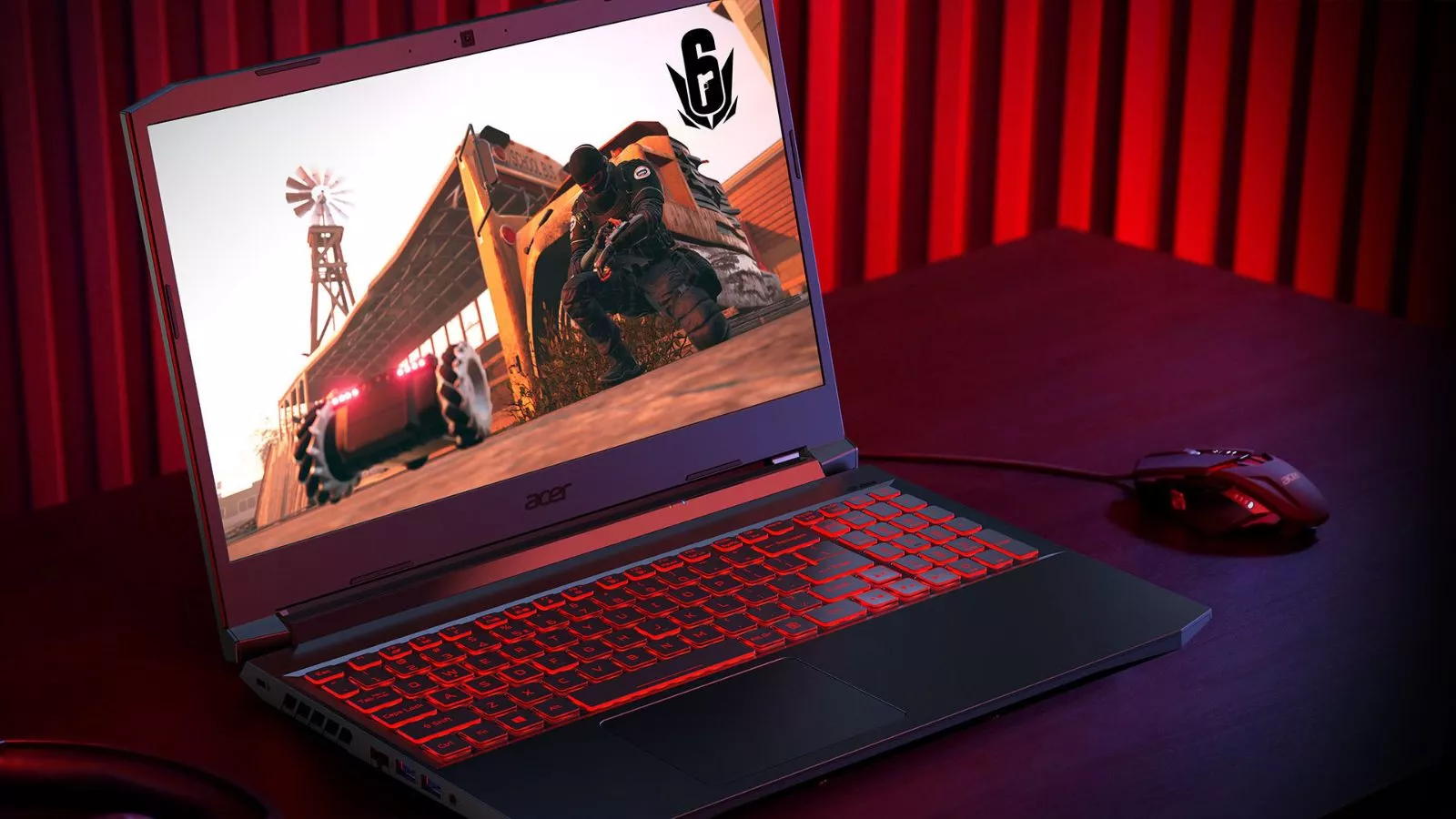
Although this is changing in 2026, some gaming laptops still feature aggressive styling with RGB lighting, angular edges, and bold logos that may feel unprofessional in conservative work environments. However, many manufacturers now offer subtler designs aimed at gamers who also use their laptops for work.
Best Use Cases for a Gaming Laptop in the Office
A gaming laptop is not just acceptable but actually an excellent choice for certain types of professional work.
Remote Workers and Freelancers
If you work from home, battery life and portability matter less. You are likely plugged in at a desk most of the time. In this setup, the extra performance of a gaming laptop shines without exposing you to its main weaknesses.
Designers and Developers
Graphic designers using Adobe Creative Cloud, UI/UX designers working in Figma, and software developers running IDEs, virtual machines, and local servers all benefit from the extra processing power and RAM. A gaming laptop handles these tools with room to spare.
Video Editors and Content Creators
Editing 4K video, rendering projects, or running streaming software demands a dedicated GPU and fast storage. A gaming laptop delivers this without requiring a desktop workstation.
Power Users Handling Complex Data
Financial analysts, data scientists, and engineers working with large datasets, simulations, or statistical software will appreciate the raw power available in a gaming laptop compared to a standard office machine.
When a Gaming Laptop Is NOT Ideal for Office Work
Despite all the advantages, there are specific situations where a gaming laptop is simply not the best fit.
Basic Office Tasks Only
If your workday consists of checking email, editing simple documents, browsing the web, and joining occasional video calls, a gaming laptop is like driving a sports car to the grocery store. It works, but you are spending far more than necessary.
Portability Is Your Top Priority
Professionals who travel frequently, move between meeting rooms, or work in coffee shops and co-working spaces need something lightweight with long battery life. A 3 kg gaming laptop that dies in three hours simply cannot compete with a 1.2 kg ultrabook that lasts all day.
Budget Is Tight
If your budget is limited and your work does not require demanding software, a capable business laptop or even a used gaming laptop from a previous generation can deliver better value for basic office work.
Gaming Laptop vs Business Laptop: A Direct Comparison
Understanding how gaming laptops compare to traditional business laptops can help you make a more informed decision.
| Feature | Gaming Laptop | Business Laptop |
|---|---|---|
| Processor | High-end (Intel Core i7/i9 or AMD Ryzen 7/9) | Mid-range to high-end (often optimized for efficiency) |
| RAM | 16 GB to 32 GB standard | 8 GB to 16 GB standard |
| Graphics Card | Dedicated GPU (NVIDIA RTX or AMD Radeon RX) | Integrated graphics or low-power dedicated GPU |
| Storage | 512 GB to 2 TB NVMe SSD | 256 GB to 512 GB SSD |
| Battery Life | 3 to 5 hours | 8 to 14 hours |
| Weight | 2.2 kg to 3.5 kg | 1.0 kg to 1.8 kg |
| Display | High refresh rate, vibrant colors | Standard 60 Hz, often good color accuracy |
| Price Range | $800 to $2,500+ | $500 to $1,500 |
| Design | Often flashy, improving toward subtle | Professional, minimalist |
| Best For | Heavy multitasking, creative work, gaming | Portability, all-day battery, meetings |
The right choice comes down to what your daily work actually demands, not what sounds more impressive on paper.
What to Look for in a Gaming Laptop for Work
If you decide that a gaming laptop is the right fit for your office needs, here are the key specifications to prioritize.
Processor (CPU)
Look for at least an Intel Core i7 or AMD Ryzen 7 from the latest generation. These offer excellent single-core and multi-core performance for both office productivity and heavier workloads.
RAM
16 GB is the minimum for comfortable multitasking in 2026. If you work with large datasets, run virtual machines, or use creative software, 32 GB is a worthwhile upgrade.
Storage
A 512 GB NVMe SSD is the baseline. If you handle large files regularly, consider 1 TB. Speed matters more than raw capacity for daily productivity.
Battery
Look for laptops with at least a 80 Wh battery if you need any portability at all. Some 2026 models offer better power management profiles that extend battery life during non-gaming tasks.
Cooling System
A good cooling system keeps your laptop comfortable during extended work sessions. Laptops with well-designed thermal solutions run quieter and last longer. If cooling performance is a priority for you, the curated list of gaming laptops with the best cooling is a solid starting point. And if you want an extra layer of thermal management, a good laptop cooling pad can make a noticeable difference during sustained workloads.
Build Quality and Design
Choose a laptop with a professional or understated design if you plan to use it in work settings. Metal chassis options offer better durability and a more refined look.
Cost vs Value for Professionals
Is a gaming laptop a smart investment for office work? The answer depends on how much performance you actually need.
For someone whose work involves only basic tasks, spending $1,200 on a gaming laptop when a $600 business laptop would do the same job is not a wise financial decision. However, for professionals who regularly push their machines with demanding software, a gaming laptop eliminates the need for a separate high-performance workstation. In that scenario, the higher upfront cost often delivers better long-term value because you get a machine that handles everything, lasts longer, and does not need to be supplemented with additional hardware.
Think of it this way. A gaming laptop for office work makes financial sense when your job demands more than what a standard business laptop can comfortably deliver.
Final Verdict
Gaming laptops are excellent for office work in 2026, provided your work actually benefits from the extra power they offer. If you handle complex spreadsheets, creative software, development environments, video editing, or heavy multitasking, a gaming laptop gives you performance that most business laptops simply cannot match. The trade-offs in battery life, weight, and cost are real but manageable for many professionals, especially those who work primarily at a desk.
On the other hand, if your office work is limited to basic productivity tasks and you value portability and battery life above all else, a business ultrabook remains the better fit.
The best approach is to honestly assess your daily workflow. If you frequently feel limited by your current laptop’s performance, a gaming laptop could be the upgrade that transforms your productivity. If your current machine handles everything without breaking a sweat, there is no need to switch.
Frequently Asked Questions
Are gaming laptops good for business use?
Yes, gaming laptops can handle business use very well. Their powerful processors, ample RAM, and fast storage make them ideal for running business software, handling video conferences, multitasking with dozens of browser tabs, and working with large documents or datasets. The main consideration is whether the added weight and shorter battery life are acceptable in your specific work environment.
Do gaming laptops overheat during office work?
Gaming laptops are designed to handle much heavier loads than office work demands. During standard tasks like word processing, web browsing, and email, they typically stay cool and quiet. Heat and fan noise usually only become noticeable during intensive tasks like video rendering, large data processing, or gaming. Proper thermal management and occasional cleaning of air vents keep most gaming laptops running comfortably for office work.
Are gaming laptops too heavy for office use?
Gaming laptops are heavier than traditional business laptops, typically weighing between 2.2 kg and 3.5 kg. If you work at a fixed desk most of the time, this weight is not a problem. However, if you carry your laptop between meetings, commute daily, or travel frequently, the extra bulk can become a disadvantage. Many 2026 gaming laptops are slimmer than older models, but they still cannot match the lightness of ultrabooks.
Can a gaming laptop replace a work laptop?
Absolutely. A gaming laptop can do everything a work laptop does, and more. It runs all office software, handles video calls, manages email, and connects to corporate networks just like any business machine. The only areas where a traditional work laptop has an advantage are battery life, weight, and sometimes compatibility with enterprise management software.
Is it worth buying a gaming laptop just for office work?
If your office work is basic, it is not worth the extra cost. A standard business laptop would serve you just as well at a much lower price. However, if your work involves demanding applications, creative tools, or heavy multitasking, a gaming laptop offers performance that justifies the higher price. It is especially worthwhile if you also plan to use the laptop for gaming, content creation, or other resource-intensive personal tasks.
How long does a gaming laptop battery last during office work?
Most gaming laptops last between three and five hours during typical office work like document editing, browsing, and video calls. Some newer models with larger batteries and efficient power modes can stretch to six or seven hours. This is significantly less than business ultrabooks, which commonly last eight to fourteen hours. If you need all-day unplugged use, a gaming laptop will require access to a power outlet.
Do gaming laptops look professional enough for office environments?
This depends on the model. Some gaming laptops still feature bold designs with RGB lighting and aggressive styling that may look out of place in a formal boardroom. However, many brands now offer gaming laptops with clean, understated aesthetics that look perfectly appropriate in professional settings. If appearance matters for your workplace, look for models from product lines specifically designed with a subtle look.