Last Updated on March 26, 2026 by CU Staff
If you are a music producer, beat maker, or aspiring creator looking for a reliable laptop, you have probably wondered whether a gaming laptop can handle the demands of music production. The short answer is yes. Gaming laptops are well-suited for music production because they offer powerful multi-core processors, generous RAM, fast SSD storage, and strong multitasking performance. These are exactly the specs that digital audio workstations like FL Studio, Ableton Live, and Logic Pro demand. While there are a few trade-offs to consider, a gaming laptop can serve as a capable and cost-effective music production machine.
In this guide, we will take a close look at why gaming laptops work well for music production, where they fall short, and what you should look for if you decide to go this route. Whether you are just getting started with beat making or you are an intermediate producer looking for more power, this article will help you make an informed decision.
Quick Summary: Pros and Cons
Before we dive into the details, here is a quick overview of the strengths and weaknesses of using a gaming laptop for music production.
Pros:
- High-performance multi-core CPUs ideal for running DAWs and plugins
- 16GB to 64GB RAM options for handling large projects
- Fast NVMe SSD storage for quick sample loading and file access
- Strong multitasking capability for running multiple applications at once
- Good value compared to dedicated workstation laptops
Cons:
- Fan noise can be distracting during recording sessions
- Shorter battery life compared to ultrabooks and MacBooks
- Heavier and bulkier form factor reduces portability
- Dedicated GPU adds cost but provides little benefit for audio work
- Some models lack professional audio interfaces or Thunderbolt ports
Now let us break everything down in detail.
What is a Gaming Laptop?
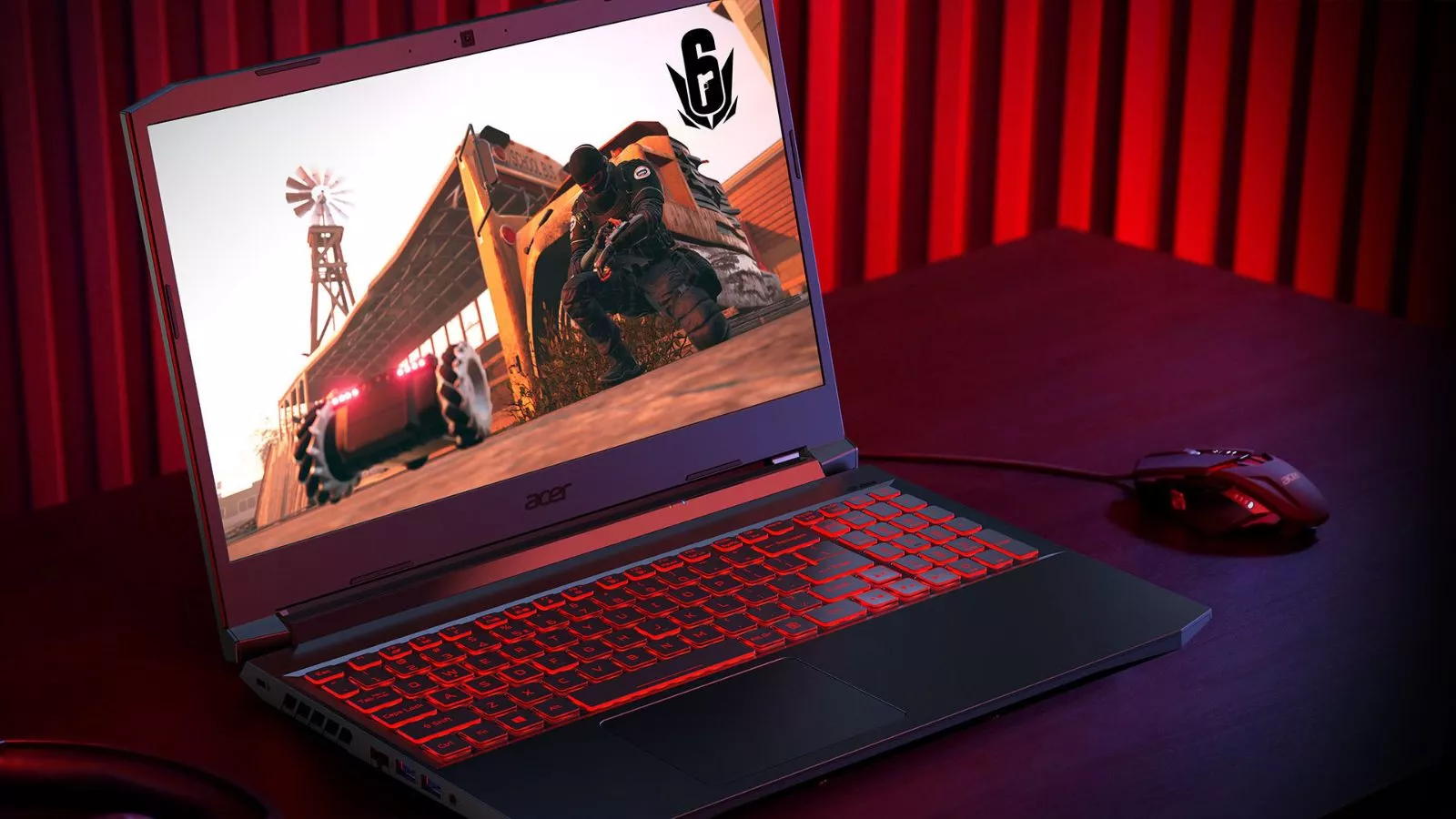
A gaming laptop is a portable computer designed to handle graphically demanding video games and performance-intensive tasks. These machines come equipped with powerful processors, dedicated graphics cards, high-speed RAM, and advanced cooling systems that allow them to sustain heavy workloads without throttling. If you want a thorough breakdown, check out this complete guide to what a gaming laptop is and how it differs from regular laptops.
The key thing to understand is that gaming laptops are built for performance. That performance-first design philosophy is exactly why they overlap so well with the demands of creative workloads like music production, video editing, and 3D rendering.
What Does Music Production Require in a Laptop?
Before evaluating whether gaming laptops are a good fit, it helps to understand what music production actually demands from a computer. Here are the core hardware requirements.
Processor (CPU)
The CPU is the single most important component for music production. Your digital audio workstation processes every virtual instrument, audio effect, and plugin through the processor. A laptop with a fast multi-core CPU, such as an Intel Core i7 or AMD Ryzen 7, can handle complex sessions with dozens of tracks and effects running simultaneously. Music production is heavily CPU-dependent, far more than it depends on a GPU.
RAM (Memory)
RAM determines how many samples, virtual instruments, and plugins you can load at once. For basic production, 16GB of RAM is a comfortable starting point. If you work with large orchestral libraries, sample-heavy projects, or run multiple applications alongside your DAW, 32GB or more is recommended.
Storage (SSD)
A fast solid-state drive is essential. Sample libraries can be massive, sometimes exceeding 50GB or more for a single instrument pack. An NVMe SSD ensures that samples load quickly, projects open without delay, and your workflow stays smooth. A traditional hard drive will create noticeable bottlenecks.
Low Latency Performance
Latency is the delay between when you press a key or trigger a note and when you hear the sound. Music production requires low-latency audio performance, which depends on both the CPU and your audio driver setup. ASIO drivers on Windows laptops help minimize this delay. A powerful CPU helps maintain low buffer sizes without audio dropouts.
Software Compatibility
Most popular DAWs run on Windows, including FL Studio, Ableton Live, Cubase, Studio One, and Reaper. Logic Pro is exclusive to macOS, so if Logic is your preferred DAW, a gaming laptop running Windows will not be an option. For everything else, Windows-based gaming laptops work just fine.
Can Gaming Laptops Handle Music Production?
Absolutely. Modern gaming laptops are equipped with the same high-end processors and RAM configurations found in professional workstation laptops, often at a lower price point. Here is how the key specs of a typical mid-range gaming laptop stack up against music production requirements.
| Requirement | Music Production Needs | Typical Gaming Laptop |
|---|---|---|
| CPU | Intel i7 / AMD Ryzen 7 or better | Intel i7-14700H / AMD Ryzen 7 7745HX |
| RAM | 16GB minimum, 32GB preferred | 16GB to 32GB (often upgradeable) |
| Storage | 512GB NVMe SSD minimum | 1TB NVMe SSD standard |
| GPU | Not critical for audio | Dedicated NVIDIA RTX (unnecessary for DAW work but included) |
| Display | Not a priority for audio | High refresh rate (nice but not essential) |
| Ports | USB-A, USB-C, audio jack | Multiple USB ports, HDMI, audio jack |
As you can see, gaming laptops meet or exceed the hardware requirements for music production in nearly every category. The dedicated GPU is the only component that does not directly benefit audio work, but it does not hurt performance either. If you are wondering whether the overall investment makes sense, this breakdown of whether gaming laptops are worth it covers the value proposition in more detail.
Real-World Use Cases
In practice, many producers use gaming laptops for music production without any issues. A typical gaming laptop with a Ryzen 7, 32GB of RAM, and a 1TB SSD can comfortably run FL Studio or Ableton Live with 50 or more tracks, multiple virtual instruments like Serum or Kontakt, and a chain of effects plugins on each channel. Bounce and export times are fast, and real-time playback remains stable even with heavy sessions.
Pros of Gaming Laptops for Music Production
Powerful Multi-Core Processors
Gaming laptops ship with some of the fastest mobile processors available. These multi-core CPUs are designed to handle parallel workloads, which translates directly to better performance in DAWs. More cores and higher clock speeds mean you can run more plugins, more virtual instruments, and more audio effects before your system starts struggling.
High RAM Capacity
Most gaming laptops come with 16GB of RAM as a starting point, with many models offering 32GB or supporting upgrades to 64GB. This is more than enough for the vast majority of music production scenarios. If you are a student exploring production as part of your studies, a gaming laptop gives you plenty of headroom. You can learn more about how gaming laptops serve students well across multiple use cases.
Fast SSD Storage
NVMe SSDs are standard in gaming laptops, providing read and write speeds that make loading large sample libraries and saving projects nearly instantaneous. This is a significant advantage over budget laptops that still use slower SATA SSDs or hard drives.
Excellent Multitasking
Music production rarely happens in isolation. You might have your DAW open alongside a web browser with tutorials, a file manager for organizing samples, a reference track playing in a media player, and maybe a chat application. Gaming laptops handle this kind of multitasking without breaking a sweat, thanks to their generous RAM and fast processors.
Good Value for Creative Work
Gaming laptops often deliver more raw performance per dollar than workstation laptops or ultrabooks. If you also use your laptop for video editing or office work, the versatility becomes even more appealing. One machine handles gaming, production, editing, and everyday tasks.
Cons of Gaming Laptops for Music Production
Fan Noise During Sessions
This is the most commonly cited drawback. Gaming laptops have aggressive cooling systems that ramp up fan speeds under load. During a production session with many tracks and plugins, the fans may become audible. This is especially problematic if you are recording vocals or acoustic instruments with a microphone in the same room. Understanding how to keep your laptop cool during demanding tasks can help you manage this issue. Some producers also use a quality cooling pad to reduce the laptop’s internal temperatures, which in turn lowers fan noise. Another option is to explore whether you can get by without a cooling pad entirely by adjusting performance settings.
Battery Life Limitations
Gaming laptops are not known for long battery life. The powerful hardware draws significant power, and most gaming laptops last between two to four hours on a full charge during active use. If you plan to produce music on the go without access to a power outlet, this can be a real limitation. If you are curious about the actual power consumption, this article on how many watts a laptop uses offers a clear explanation.
Portability Concerns
Gaming laptops tend to be heavier and thicker than ultrabooks or MacBooks. A typical 15.6-inch gaming laptop weighs between 2.2 kg and 2.8 kg, and some larger models exceed 3 kg. If you travel frequently or like to produce music at cafes or co-working spaces, the extra weight and bulk can become tiresome. There is a detailed explanation of why gaming laptops are bulkier than standard notebooks that covers the design reasons behind this.
Paying for a GPU You May Not Use
A significant portion of a gaming laptop’s cost goes toward the dedicated GPU. For music production, the GPU does almost nothing. Your DAW and plugins rely on the CPU, not the graphics card. This means you are paying for hardware that does not contribute to your primary workflow. That said, if you also game, edit video, or do any GPU-accelerated work, the investment is easier to justify.
Best Use Cases for Gaming Laptops in Music Production
Beginner Producers
If you are just getting started with music production and want a laptop that can grow with you, a gaming laptop is an excellent choice. The powerful hardware ensures you will not hit performance walls as you learn and your projects become more complex. You also get a machine that handles gaming, streaming, and schoolwork, making it a versatile first investment.
Intermediate Creators
Producers who work with large sessions, multiple virtual instruments, and complex mixing chains will benefit from the processing power and RAM that gaming laptops provide. At this level, you need a machine that does not choke when you stack effects on every channel, and a gaming laptop delivers that capability.
Hybrid Users
If you are someone who games in the evening and produces music during the day, a gaming laptop is the perfect hybrid machine. You get top-tier gaming performance and a production-ready workstation in one device, without needing to buy separate machines for each purpose.
When a Gaming Laptop is NOT Ideal
Professional Studio Recording
If you run a professional recording studio where you capture live vocals and instruments, fan noise can be a dealbreaker. In a controlled studio environment, even moderate fan noise can bleed into microphone recordings. Professional studios typically use desktops or passively cooled workstations for this reason.
Ultra-Portable Production Setups
If your workflow demands a lightweight, long-lasting laptop that you can carry everywhere, a gaming laptop is not the best fit. Producers who travel extensively or work in mobile setups may find the weight, bulk, and limited battery life to be too inconvenient. In these cases, an ultrabook or a MacBook Air may be a better option.
Gaming Laptop vs MacBook for Music Production
This is one of the most common comparisons music producers face. Here is how they stack up.
| Feature | Gaming Laptop (Windows) | MacBook Pro (macOS) |
|---|---|---|
| CPU Performance | Comparable or better at similar price points | Excellent, especially Apple M-series chips |
| RAM | 16GB to 64GB, often upgradeable | 16GB to 128GB, not upgradeable |
| Storage Speed | Fast NVMe SSD | Fast NVMe SSD |
| DAW Compatibility | FL Studio, Ableton, Cubase, Reaper, Studio One | Logic Pro, Ableton, FL Studio (limited), Cubase |
| Fan Noise | Can be loud under load | Quiet, especially on M-series |
| Battery Life | 2 to 4 hours under load | 8 to 15 hours |
| Portability | Heavier and bulkier | Thin and lightweight |
| Price | Better value for raw specs | Premium pricing |
| Audio Interface Support | USB, some Thunderbolt | Thunderbolt, USB-C |
| Upgradability | RAM and storage often upgradeable | No user upgrades |
If you need Logic Pro or prioritize silence and portability, the MacBook is the better choice. If you want more performance for your money, prefer Windows-based DAWs, or want a dual-purpose machine for gaming and production, a gaming laptop is the smarter buy.
What to Look for in a Gaming Laptop for Music Production
If you have decided that a gaming laptop is the right choice for your production needs, here are the key specs and features to prioritize.
CPU
Go for an Intel Core i7 or AMD Ryzen 7 at minimum. The i9 or Ryzen 9 is ideal for heavy sessions with many tracks and resource-intensive plugins. Clock speed and core count both matter for DAW performance.
RAM
Start with 16GB and upgrade to 32GB if your budget allows. Producers working with large orchestral libraries or sample-heavy projects should aim for 32GB from the start.
Storage
Get at least a 1TB NVMe SSD. Sample libraries, project files, and DAW installations add up quickly. If possible, choose a laptop with a second SSD slot so you can add more storage later.
Cooling System
A laptop with an effective cooling system keeps fan noise lower and prevents thermal throttling during long sessions. Look for models with multiple heat pipes, large fans, and good ventilation. The best gaming laptops with superior cooling are a great place to start your search.
Ports and Connectivity
Make sure the laptop has at least one USB-A port for audio interfaces, a USB-C port for modern peripherals, and a dedicated 3.5mm audio jack. Thunderbolt support is a bonus for connecting high-end audio interfaces.
Display
While display quality is not a priority for audio work, a sharp 1080p or 1440p screen with good color accuracy is helpful if you also work with visuals, video content, or album artwork.
Budget Options for Music Producers
You do not need to spend a fortune to get a gaming laptop that handles music production well. Many capable models fall within the 800 to 1500 dollar range and offer everything a producer needs.
If you are shopping with a moderate budget, the list of best gaming laptops under 1500 dollars includes several models with strong CPUs, 16GB or more of RAM, and fast SSD storage that will handle most production workloads. Another smart approach is to consider a used gaming laptop from a previous generation. Last year’s flagship models often sell at significant discounts and still deliver excellent performance for music production.
Final Verdict
Gaming laptops are a genuinely good choice for music production in 2026. They deliver the powerful processors, generous RAM, and fast storage that DAWs and plugins demand, often at a better price than dedicated workstation laptops. If you are a beginner, an intermediate producer, or a hybrid user who also games and edits video, a gaming laptop gives you serious versatility in one machine.
The main trade-offs are fan noise, battery life, and portability. If you primarily produce music in a home studio or a desk-based setup and can plug into a power outlet, these drawbacks are manageable. If you need whisper-quiet operation for live recording or an ultra-portable setup for mobile production, a MacBook or a lightweight ultrabook might be a better fit.
For most music producers, a well-chosen gaming laptop offers everything you need to create, mix, and master professional-quality tracks without compromise.
Frequently Asked Questions
Are gaming laptops good for FL Studio?
Yes. FL Studio runs exceptionally well on gaming laptops. The software benefits from fast multi-core processors and ample RAM, both of which gaming laptops provide in abundance. A gaming laptop with an Intel i7 or Ryzen 7 and 16GB of RAM can handle complex FL Studio projects with dozens of tracks, multiple instances of plugins like Gross Beat or Sytrus, and real-time effects processing without significant lag or audio dropouts.
Do gaming laptops have audio latency issues?
Gaming laptops do not inherently have latency problems. Audio latency depends more on your audio driver setup and buffer size settings than on the laptop itself. On Windows, using an ASIO driver like ASIO4ALL or the native ASIO driver that comes with a dedicated audio interface dramatically reduces latency. The powerful CPUs in gaming laptops actually help maintain stability at lower buffer sizes, which translates to lower latency.
Are gaming laptops good for beginner music producers?
Gaming laptops are one of the best options for beginners. They provide more than enough processing power to run any DAW and a wide range of plugins, which means you will not outgrow the hardware quickly. They are also versatile machines that handle gaming, schoolwork, and everyday computing alongside music production, making them an excellent all-in-one investment for someone just getting started.
Can I use a gaming laptop for professional music production?
Yes, but with some caveats. For mixing, mastering, and producing tracks in a home studio, a gaming laptop is more than capable. The main concern for professional use is fan noise during recording sessions. If you record vocals or acoustic instruments, the fan noise can bleed into your microphone. Using an external recording booth or recording in a separate room from the laptop can solve this problem.
Is a MacBook better than a gaming laptop for music production?
It depends on your priorities. A MacBook Pro offers quieter operation, longer battery life, and access to Logic Pro, which is exclusive to macOS. However, a gaming laptop typically provides more raw CPU and RAM performance at a lower price, supports a wider range of Windows-exclusive plugins and DAWs, and allows hardware upgrades. If budget and raw power matter more to you, a gaming laptop is the better value. If silence, portability, and the Apple ecosystem are your priorities, go with a MacBook.
What RAM is recommended for music production on a gaming laptop?
For most producers, 16GB of RAM is a comfortable minimum. If you work with large sample libraries, orchestral arrangements, or run many virtual instruments simultaneously, 32GB is the recommended sweet spot. Some gaming laptops support up to 64GB, which is more than enough for even the most demanding professional sessions. When shopping, prioritize models that allow RAM upgrades so you can expand later if needed.
Do I need a dedicated GPU for music production?
No. Music production relies almost entirely on the CPU, not the GPU. DAWs, virtual instruments, and audio plugins are all processor-dependent tasks. The dedicated GPU in a gaming laptop will not improve your audio workflow, but it also will not hinder it. Think of it as a bonus feature that enables other creative tasks like video editing, 3D rendering, or of course gaming, without any downside for your music production work.