Last Updated on May 18, 2026 by CU Staff
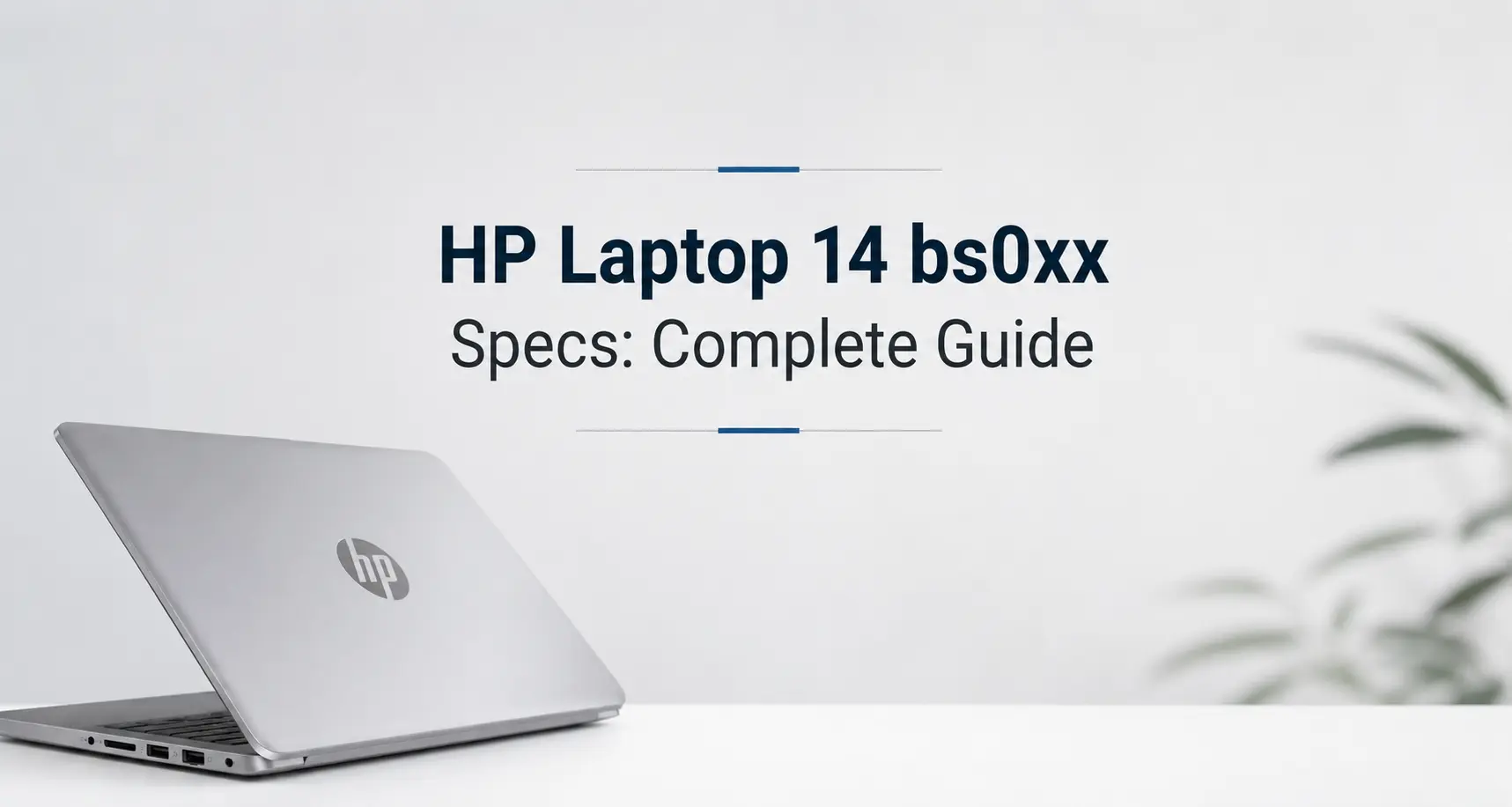
The HP Laptop 14 bs0xx is a 14-inch budget laptop series from HP, originally launched around 2017. It typically ships with low-power Intel Celeron, Pentium, or Core i3 processors, 4GB of DDR4 RAM, a 500GB HDD or a small SSD, integrated Intel HD Graphics, and a 14-inch HD display. It is built for browsing, office work, and basic student tasks rather than gaming or heavy creative use.
If you have one sitting on your desk, or you are thinking of buying a used one, this guide walks through what it can actually do in 2026, what its real limits are, and which upgrades are worth the money.
HP Laptop 14 bs0xx overview
The bs0xx label covers a family of 14-inch budget HP laptops, not a single model. You will see SKUs like 14-bs001ne, 14-bs010nr, 14-bs015dx, 14-bs040wm, 14-bs058od, and many more region-specific variants. The hardware shifts a little between SKUs, but the chassis, screen size, and target audience stay the same.
HP positioned this line at the cheap end of the consumer market. The idea was simple: a slim plastic laptop you can carry to class or the kitchen table, with enough power for email, Word, video streaming, and light schoolwork. It was never meant to compete with gaming machines or workstations, and that shows in the choice of components.
Typical buyers were students, parents, first-time laptop owners, and small offices that needed a cheap second machine. Many of these laptops are still floating around on eBay, Facebook Marketplace, and refurbished shops, which is why the model gets so many searches even years after it stopped being sold new.
HP Laptop 14 bs0xx specifications
Because bs0xx is a family, specs vary by SKU. Here is a realistic spread of what you will find inside one of these laptops.
| Component | Common options |
|---|---|
| Processor | Intel Celeron N3060, Pentium N3710, Pentium N3060, Core i3-6006U, Core i5-7200U; some SKUs with AMD A6-9220 or A9-9420 |
| RAM | 4GB DDR4-2133 (single SODIMM slot on most SKUs, up to 16GB supported on i3/i5 variants) |
| Storage | 500GB or 1TB 5400rpm SATA HDD; some SKUs with 128GB or 256GB SATA SSD |
| Display | 14-inch HD (1366 x 768) BrightView, anti-glare on some variants; a few FHD (1920 x 1080) options exist |
| Graphics | Intel HD Graphics 400, 405, 500, 505, or 520 depending on CPU; AMD Radeon R4 or R5 on AMD SKUs |
| Battery | 3-cell, 41 Wh lithium-ion |
| Charger | 45W barrel-style adapter |
| Ports | 1 x USB 3.1 Gen 1, 2 x USB 2.0, 1 x HDMI 1.4b, 1 x SD card reader, 1 x combo headphone/mic jack, 1 x RJ-45 Ethernet on some SKUs |
| Wireless | 802.11ac 1×1 Wi-Fi, Bluetooth 4.2 |
| Webcam | 720p HD with single microphone |
| Audio | Dual stereo speakers tuned by HP, no dedicated subwoofer |
| Keyboard | Full-size island-style, no backlight on most SKUs |
| Touchpad | Multi-touch clickpad |
| Weight | Around 1.52 kg (3.35 lb) |
| Dimensions | 339 x 242 x 19.9 mm |
| Operating system | Windows 10 Home shipped from factory; many units now run Windows 11 (unsupported on older CPUs) or a lightweight Linux distro |
The single RAM slot is one of the most important things to know about this laptop. Many bs0xx units do not have a second slot or any soldered RAM, so a memory upgrade means pulling the existing stick and replacing it with a bigger one.
Performance analysis
Real-world performance depends almost entirely on which CPU you got and whether your unit has an HDD or SSD inside. The gap between a Celeron N3060 with a spinning hard drive and a Core i3-6006U with an SSD is much bigger than the model number suggests.
Everyday use and browsing
A bs0xx with an SSD and 8GB of RAM is fine for everyday browsing in 2026, as long as you keep tab counts reasonable. Chrome with five to seven tabs, a YouTube video, and a Word document open at the same time is doable. Push beyond that, and you start hitting the RAM ceiling fast, because Windows 11 alone eats 2 to 3 GB before you open anything.
A bs0xx with a Celeron and the original 5400rpm HDD is a different story. Boot times can stretch past two minutes, and opening Chrome can feel like waiting for water to boil. The CPU is not the main problem here. The hard drive is. Swap it for any cheap SATA SSD and the whole machine wakes up.
Office work
Word, Excel, PowerPoint, Outlook, and Teams all run on a bs0xx. They run well on the i3 and i5 variants. They run acceptably on the Pentium variants. They struggle on the Celeron variants if you have more than one program open at once.
For document writing, spreadsheets under 5,000 rows, and email, even the slowest configuration works. For video calls in Zoom or Teams with screen sharing and a background filter, the Celeron variants will stutter and the fan will spin loudly. The i3-6006U with 8GB of RAM and an SSD is the sweet spot for a usable office laptop.
Student tasks
Most students using a bs0xx will be writing essays, watching lecture recordings, browsing reference material, and joining online classes. All of that fits within what this laptop can handle. The screen is small but readable, the keyboard is full-size, and the battery lasts long enough for a day on campus if you are careful with brightness.
Multitasking
This is where the bs0xx shows its age the most. Four gigabytes of RAM is the bare minimum for Windows 11, and once you open Chrome, the operating system starts swapping memory to disk constantly. The fix is more RAM, not a faster processor.
Can HP Laptop 14 bs0xx handle gaming?
Honestly, this is not a gaming laptop and was never meant to be one. The integrated graphics options across the lineup, from Intel HD 400 up to HD 520, are designed for displaying a desktop, not rendering 3D games.
That said, you can still play certain things on it:
- Older titles like Half-Life 2, Portal, Minecraft (with low render distance), Stardew Valley, Terraria, Hollow Knight, and most 2D indie games run fine on the i3 and i5 SKUs.
- Web browser games, emulators for systems up to the PSP era, and very old PC games from the 2000s also run.
- Modern AAA games are out of the question. Anything released after 2018 that needs a dedicated GPU will either refuse to launch or run at single-digit frame rates.
If you want a laptop for current games, look elsewhere. The bs0xx will frustrate you within minutes. Cooling is also limited, so even when a game does run, sustained sessions push CPU temperatures up and force the processor to throttle.
Is HP Laptop 14 bs0xx good for students?
For most students, yes, with some honest caveats. The bs0xx covers the basics: writing assignments, doing research, joining lectures on Zoom or Google Meet, watching tutorial videos, and reading PDFs. The 14-inch size is light enough to carry in a backpack all day, and the battery is good enough to get through a few classes between charges.
Where it falls short for students is anything graphics-heavy. Architecture students rendering in AutoCAD, design students using Adobe Illustrator, or computer science students compiling large projects will outgrow this laptop quickly. The integrated graphics and limited RAM hit a wall fast.
It is worth pointing out that a bs0xx is not a gaming laptop, so if you are torn between this and something with a dedicated GPU, there is a separate conversation to have about whether a gaming laptop makes sense for student life. For pure academic work, the bs0xx with an SSD upgrade and 8GB of RAM is plenty. For students who also want to game or do creative work on the side, it is the wrong tool.
Is HP Laptop 14 bs0xx good for office work?
For light office work, the bs0xx holds up. Email, Word documents, Excel spreadsheets, web research, and the occasional Zoom call are all within reach, especially on the i3 and i5 variants with an SSD and at least 8GB of RAM.
The cracks start to show when the workload gets heavier. Excel sheets with 20,000 rows and complex formulas slow the machine down. Running a browser with 15 tabs while a Teams meeting is going is a stretch. PowerPoint with animations and embedded video can stutter during presentation mode.
The 14-inch HD screen is also tight for a full workday of two-window multitasking. Many office users end up plugging in an external monitor through HDMI, which the bs0xx handles fine for a single 1080p display.
If your office work is closer to data analysis, design, or anything visual, you might wonder whether something with a dedicated GPU would help. The short version is that gaming laptops can absolutely double as office machines, but for plain document work the bs0xx is the cheaper and quieter choice.
RAM and storage upgrade options
Two upgrades transform a tired bs0xx into a usable laptop in 2026. Both are cheap, and both are doable at home with a screwdriver and a YouTube tutorial.
RAM upgrade
Most bs0xx units have a single SODIMM slot with a 4GB DDR4-2133 stick installed. The maximum supported RAM is 16GB on the i3-6006U and i5-7200U variants, and 8GB on the Celeron and Pentium variants. Crucial and Kingston both list compatible modules for under 30 dollars.
The procedure is straightforward: unscrew the bottom panel, lift it off, pop out the old stick at a 30-degree angle, slot in the new one, and screw the panel back on. The whole job takes about ten minutes.
If you have never opened a laptop before and you are wondering whether the upgrade is worth the effort, more RAM almost always speeds up a sluggish computer, particularly when the original memory is only 4GB and the OS is Windows 11. Doubling to 8GB is the single biggest jump you will feel.
Storage upgrade
The bs0xx uses a 2.5-inch SATA bay, the same connector that desktops have used for years. Any SATA SSD up to 9.5 mm thick will fit. A 500GB Crucial MX500 or a Samsung 870 EVO drops in cleanly and costs around 40 to 60 dollars new.
The performance jump from a 5400rpm HDD to a modern SATA SSD is dramatic. Boot times drop from two minutes to under 20 seconds. Programs open three to five times faster. Even the Celeron variants feel responsive enough for daily use after an SSD swap.
A few bs0xx SKUs also have an M.2 2280 slot on the motherboard, but this is not consistent across the lineup. Check your specific SKU on HP’s support site before ordering an NVMe drive.
Battery life and power consumption
The bs0xx ships with a 3-cell, 41 Wh lithium-ion battery. HP rated it for around nine hours of mixed use when new, though in real life most users see five to seven hours on a fresh battery and considerably less once the cells have aged.
The 45W barrel charger is small and light. There is no fast charging, so a full top-up from empty takes about two hours. If your battery is original, it has probably lost 20 to 40 percent of its capacity by now, which is normal for a laptop this old. Replacement batteries are still available from third-party sellers for around 30 to 50 dollars.
A common question with this laptop is whether it is fine to leave it plugged in all the time. Modern lithium-ion batteries have charge controllers, so the battery stops drawing current once it hits 100 percent, and the laptop runs straight off wall power. Long-term, leaving it plugged in at full charge does add some stress to the cells, but the damage is gradual rather than immediate.
Another common question is whether the battery drains while the laptop is off. The honest answer is that laptops do lose a tiny bit of charge even when shut down, because the clock chip and a few low-power circuits keep running. The drain is small, usually a few percent per week, and is nothing to worry about.
On power draw, the bs0xx is one of the more efficient laptops in its size class. Idle wattage sits around 6 to 8 watts, and full load tops out near 35 watts. If you are curious about how many watts a laptop actually uses and what that means for your electricity bill, the bs0xx is firmly on the low end of the spectrum.
Common problems and limitations
Every laptop this age has weak spots. Knowing them in advance saves a lot of frustration.
Slow HDD models
The single biggest performance problem with a stock bs0xx is the 5400rpm hard drive. Windows 10 and 11 were not designed for spinning storage anymore. Background updates, antivirus scans, and indexing all hammer the disk constantly, and the machine feels frozen for minutes at a time. Anyone keeping a bs0xx in 2026 should consider an SSD non-negotiable.
Limited graphics
The integrated Intel HD Graphics options in the bs0xx are all entry-level. They handle video playback up to 1080p, basic photo editing in light tools like Paint.NET, and very old games. They cannot drive a 4K external display smoothly, and they cannot run any modern 3D software with acceptable performance.
Older processors
The Celeron N3060 and Pentium N3710 are particularly weak by modern standards. Both are dual-core chips from 2016 with low clock speeds and no hyperthreading. Even with an SSD and 8GB of RAM, these CPUs feel slow when modern websites are heavy with JavaScript. The i3-6006U and i5-7200U age more gracefully, but they are still seventh-gen Intel chips and do not officially support Windows 11.
Screen quality
The standard 1366 x 768 TN panel in most bs0xx units is the weakest part of the laptop by far. Colors look washed out, viewing angles are narrow, and outdoor visibility is poor. If you find an FHD IPS variant on the used market, it is worth paying extra for it.
Build quality
The plastic chassis flexes when you press down on the keyboard deck. The hinges loosen over time. The screen lid is thin enough that you can feel it bend if you grip it from one corner. None of this is fatal, but it does mean the laptop needs to be handled with some care.
Tips to improve performance
If you already own a bs0xx and want to squeeze more life out of it, a few changes make a big difference.
The first move is an SSD. It costs less than a meal out and turns a frustrating machine into a workable one. The second is RAM, ideally taking it up to 8GB or 16GB depending on your CPU. Together those two upgrades feel like getting a new laptop, for about 70 dollars total.
Beyond hardware, a clean install of Windows clears out years of HP bloatware and accumulated junk. If you are not attached to Windows, a lightweight Linux distribution like Linux Mint XFCE or Lubuntu runs beautifully on this hardware and gives you another five years of useful life.
Physically, a yearly cleaning makes a real difference. The single fan inside the bs0xx clogs with dust quickly, and a clogged fan means higher temperatures and CPU throttling. A can of compressed air, ten minutes, and a soft brush is all you need. If your model has a touchscreen variant, the cleaning routine is slightly different and worth getting right, because the wrong cleaner can damage the coating. There is a separate walkthrough on how to clean a touch screen laptop that applies here.
Software-wise, turning off startup programs in Task Manager, switching the power plan to balanced rather than power saver, and disabling visual effects in Windows all help. Updating to the latest Intel graphics driver and chipset driver from HP’s support page also fixes some long-standing stuttering issues.
HP Laptop 14 bs0xx vs modern budget laptops
It is worth being honest about where the bs0xx sits in 2026. A new budget laptop today, say a recent Acer Aspire 3 or Lenovo IdeaPad 1 in the 400 to 500 dollar range, will outperform even the best bs0xx configuration by a wide margin. Modern entry-level CPUs like the Intel N100 or AMD Athlon Silver are faster than the Pentium N3710, run cooler, and use less power. They also ship with SSDs and 8GB of RAM as standard.
That said, a used bs0xx with an SSD and a RAM upgrade can be had for under 150 dollars in many places. For the price, it is hard to beat as a couch laptop, a kid’s first computer, or a backup machine for travel. The build is plain but functional, and parts are still easy to find.
A common question for any older laptop is how much longer it will keep going. The general rule is that most laptops last around four to seven years before they start feeling truly painful, and the bs0xx is now well into that window. With upgrades, you can stretch it past the average. Without them, it has probably already hit the wall.
Who should buy this laptop?
The bs0xx makes sense for a few specific groups in 2026.
Students with a tight budget who only need basic productivity will get real value from a used bs0xx, especially if it comes with the upgrades already done. Casual home users who want a laptop for Netflix, Facebook, email, and occasional Word documents will be fine. Parents looking for a first laptop for a younger kid will find the bs0xx cheap enough that it does not hurt if it gets dropped or spilled on.
Offices needing a low-cost second machine for a reception desk, a stockroom, or a meeting room can also do well with one of these. The hardware is dated but the laptop is small, light, and uses very little electricity.
Who should avoid it?
The bs0xx is the wrong choice for several types of users.
Gamers, even casual ones, will hit a wall almost immediately. The integrated graphics cannot keep up with anything modern.
Video editors, photo editors, 3D designers, music producers, and CAD users all need more CPU, RAM, and ideally a dedicated GPU. The bs0xx does not have the headroom.
Anyone who runs many programs at once, keeps 30 browser tabs open, or works with large datasets will be frustrated. Four to eight gigabytes of RAM is not enough for that kind of workflow in 2026.
Travelers who need a tough machine should look at something with a metal chassis. The plastic body on the bs0xx scratches easily and flexes under pressure.
Final verdict
The HP Laptop 14 bs0xx is an honest, dated budget machine that still has a place in 2026 if you set your expectations correctly. The best version of it, an i3-6006U or i5-7200U SKU with 8GB or 16GB of RAM and a SATA SSD, is genuinely usable for browsing, office work, and online classes. The worst version, a stock Celeron with the original 5400rpm HDD, is barely worth turning on without upgrades.
If you already own one, an SSD and a RAM stick will give it another two to three years of life. If you are buying one used, look for the i3 or i5 variants with an FHD screen, and budget for the same two upgrades on top of whatever you pay. If you are buying new and your budget is around 400 dollars, skip the bs0xx and get a current-generation entry-level laptop instead.
It is not flashy, it is not fast, and it is not future-proof. But for the right user at the right price, it still does its job.
FAQs
Can HP Laptop 14 bs0xx run games?
It can run older and lighter games like Minecraft, Stardew Valley, Hollow Knight, and most 2D indie titles on the i3 and i5 SKUs. Modern AAA games will not run. The integrated graphics are meant for display, not 3D rendering.
Can RAM be upgraded on the HP 14 bs0xx?
Yes, on most variants. The laptop has a single SODIMM slot. You can pull the original 4GB stick and replace it with an 8GB or 16GB DDR4-2133 module. The i3 and i5 variants support up to 16GB; the Celeron and Pentium variants top out at 8GB.
Is HP 14 bs0xx good for students?
For writing, research, lectures, and online classes, yes. For graphic design, video editing, programming larger projects, or gaming on the side, no. An SSD and a RAM bump make it much more usable for academic work.
Does HP 14 bs0xx support SSD?
Yes. It has a standard 2.5-inch SATA bay that accepts any SATA SSD up to 9.5 mm thick. Some SKUs also have an M.2 2280 slot, but availability of that slot varies. An SSD upgrade is the single best thing you can do for performance.
Is the HP Laptop 14 bs0xx still worth buying in 2026?
Used, with upgrades, and at the right price (under 150 dollars), it can still be worth it for very basic use. New, no. Modern budget laptops at 400 to 500 dollars will outperform it on every measurement that matters.
How long does the HP 14 bs0xx battery last?
A new battery delivers around five to seven hours of mixed use, with HP rating it up to nine hours. Most units in circulation today have lost some capacity, so expect three to five hours of real-world use unless you replace the battery.
Can the HP Laptop 14 bs0xx run Windows 11?
Officially, no. The CPUs in the bs0xx lineup, including the i3-6006U and i5-7200U, are below Microsoft’s minimum requirements for Windows 11. You can install Windows 11 unofficially using a registry bypass, but it will not receive automatic feature updates and Microsoft does not guarantee support.
What graphics card does the HP 14 bs0xx have?
It uses integrated graphics from the CPU. Depending on the variant, that is Intel HD Graphics 400, 405, 500, 505, or 520, or AMD Radeon R4 or R5 on the AMD SKUs. None of these are dedicated GPUs and none can handle modern 3D games.
How much does the HP Laptop 14 bs0xx weigh?
Around 1.52 kg or 3.35 pounds, depending on the exact SKU. It is light enough to carry in a backpack all day without noticing it.
Is the HP 14 bs0xx good for video calls?
For one-on-one Zoom, Teams, or Google Meet calls, yes, particularly on the i3 and i5 variants. The 720p webcam is average. For meetings with background filters, screen sharing, and many participants on screen at once, the Celeron and Pentium variants will struggle and the fan will get loud.